
Clients, Subscriptions & Payments
The customer side of your business, in four screens.
Client Management
Clients & Billing → Client Management lists every registered customer.
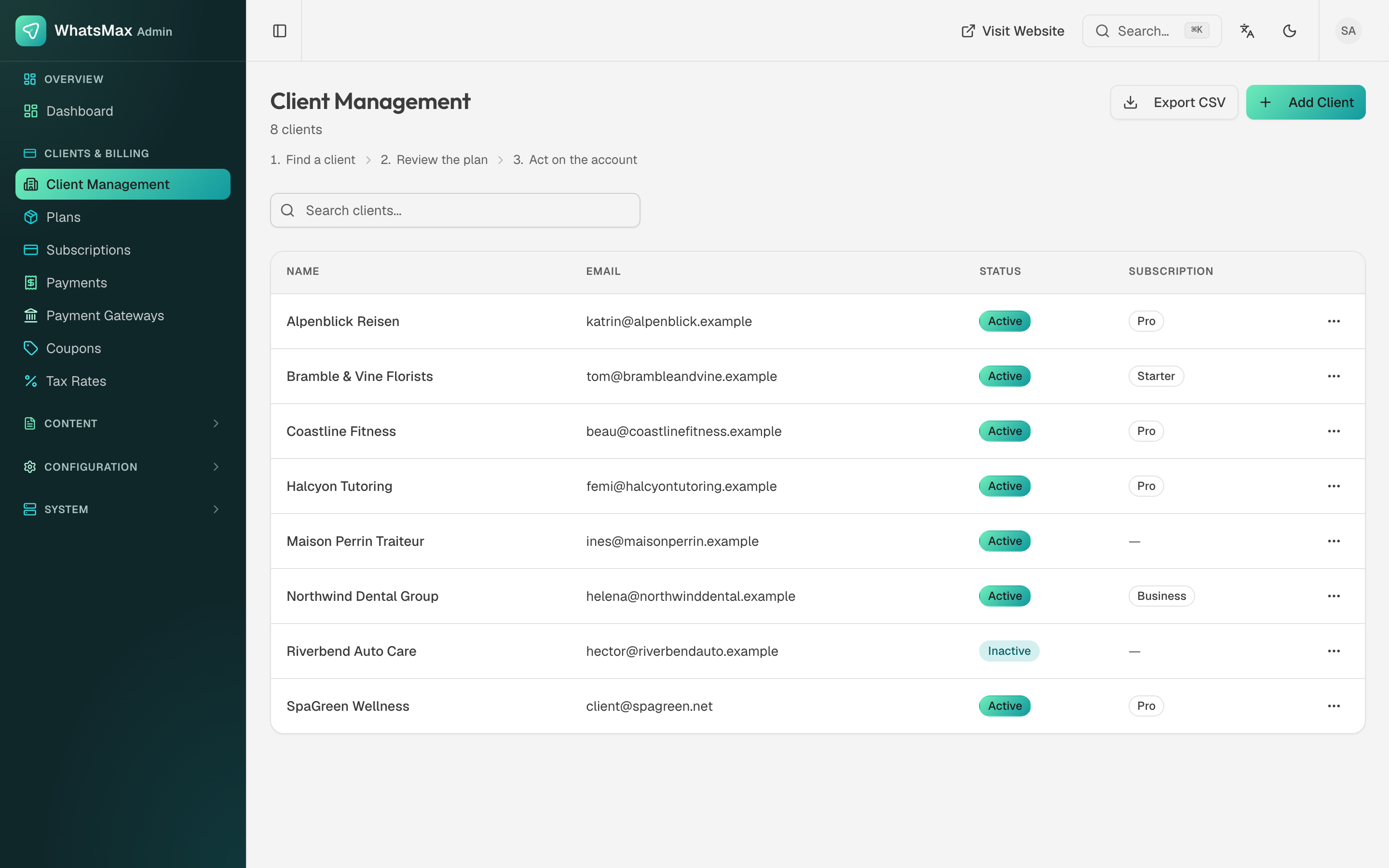 Clients with their status and current plan.
Each row shows the account name, email, status (Active / Inactive) and the subscription they are on — or — for a customer who never subscribed. Open a client to see their workspaces, usage against plan limits, and their payment history.
Row actions:
- Impersonate — open their workspace as them to reproduce a problem.
- Suspend / activate — an inactive client cannot sign in; their data is untouched.
- Change plan — move them to a different tier manually, for a negotiated deal or a goodwill upgrade.
- Add Client creates an account directly, for customers you onboard by hand.
- Export CSV dumps the list for your own reporting.
Subscriptions
Clients & Billing → Subscriptions is every subscription across the platform, with its plan, period, gateway and state:
Columns: user, plan, status, gateway, renews-on and created-on. Filter by status, Export the list, or create a New subscription by hand for a customer you billed outside the product.
| State | Meaning |
|---|---|
trialing | Inside the plan's trial days. |
active | Paid and current. |
past_due | A renewal charge failed. The gateway is usually still retrying. |
cancelled | Will not renew. Access normally runs to the end of the paid period. |
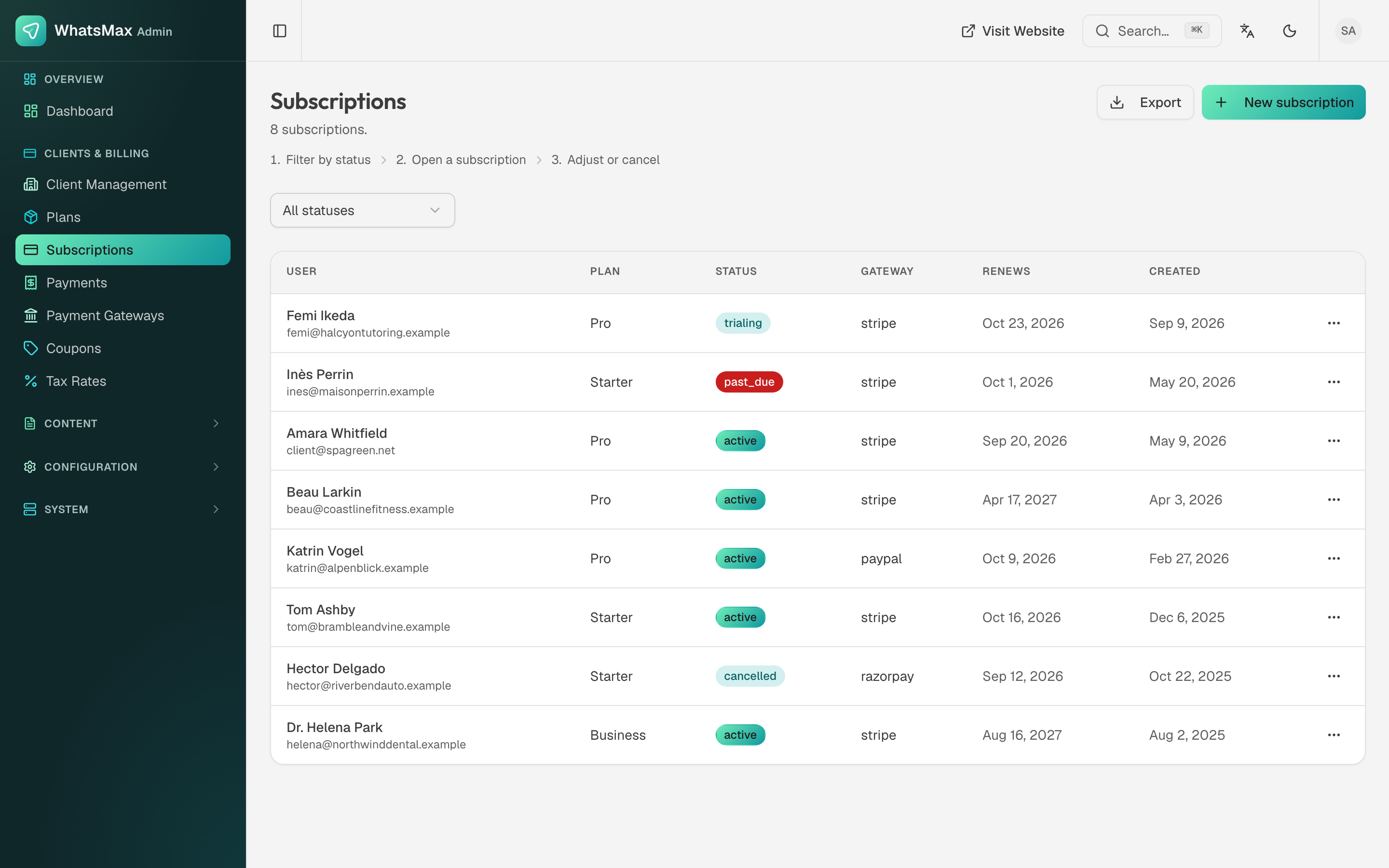 Subscription states across every tenant.
State changes arrive through gateway webhooks, and the scheduler reconciles periodically. A subscription stuck in the wrong state is nearly always a missing or misconfigured webhook — see Payment Gateways.
Payments
Clients & Billing → Payments is the transaction ledger: who paid, through which gateway, how much (in the currency they were charged in), the status and the date, with the invoice where one exists. Filter by status or by gateway.
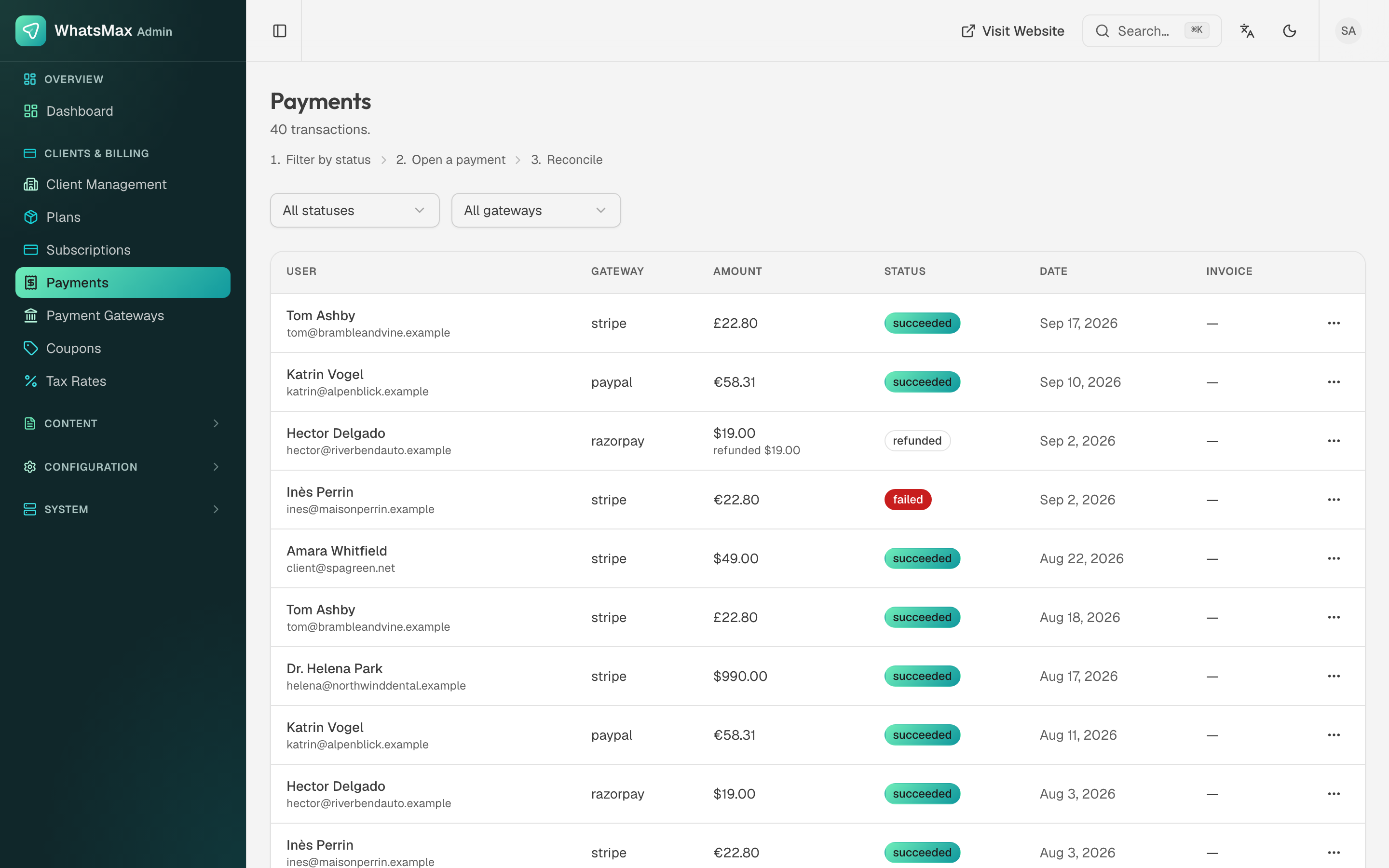 Every transaction across every gateway.
Statuses are succeeded, failed and refunded — a refunded row shows the refunded amount underneath. Refunds are issued in the gateway's own dashboard; the refund reaches WhatsMax over the webhook and lands on the payment record. Open a payment for its gateway reference, which is what you quote when you need to find the same transaction on the gateway's side.
Support tickets from clients
Tickets your customers raise in their app arrive in Content → Support — see Content & Support.