
Developer API & Webhooks
Every workspace gets programmatic access: a scoped REST API, outgoing webhooks, and an interactive reference at Developer → API Docs inside the app.
API tokens
Developer → API Tokens.
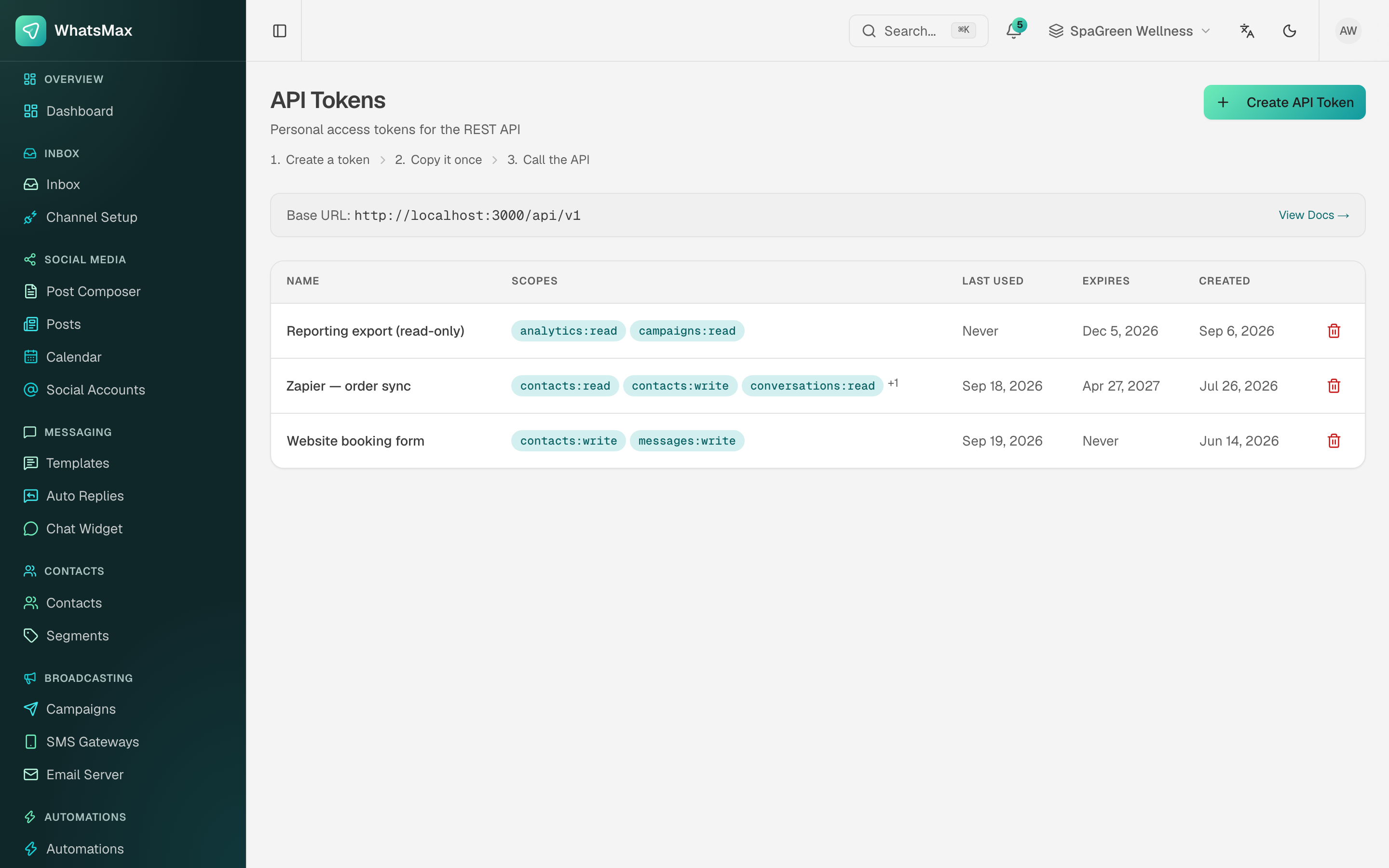 Tokens with their scopes, expiry and when each was last used.
- Create API Token — give it a name that says what it is for ("Zapier — order sync"), pick its scopes, and optionally an expiry date.
- Copy the token now. It is shown once and never again.
- Send it as a bearer header:
curl https://your-domain/api/v1/me \
  -H "Authorization: Bearer YOUR_API_TOKEN"
Tokens are workspace-scoped: every request operates on the workspace the token belongs to. The base URL for the workspace is shown at the top of the page.
Scopes
Scopes are resource:action pairs — contacts:read, contacts:write, conversations:read, messages:write, campaigns:read, analytics:read and so on. Grant the narrowest set that does the job: a reporting export needs analytics:read and nothing else.
The list shows Last used for every token, which is the easy way to find the ones nobody needs any more. Delete those; treat tokens like passwords.
Main resources
| Area | Endpoints (base /api/v1) |
|---|---|
| Account | GET /me, /auth/*, GET /audit-log |
| Contacts | GET/POST /contacts, GET/PATCH/DELETE /contacts/{id} |
| Conversations | GET /conversations, GET /conversations/{id}/messages |
| Messaging | POST /messages/send |
| Campaigns | GET/POST /campaigns, POST /campaigns/{id}/launch, POST /campaigns/{id}/pause, GET /campaigns/{id}/recipients |
| Automations | GET /automations, POST /automations/{id}/trigger |
| AI | POST /ai/chatbots/{id}/chat, knowledge-base CRUD under /ai/knowledge-bases |
| Analytics | /analytics/messages, /analytics/conversations, /analytics/ai-usage, /analytics/campaign/{id}/funnel |
| Mobile | /mobile/* — inbox operations shaped for a companion app |
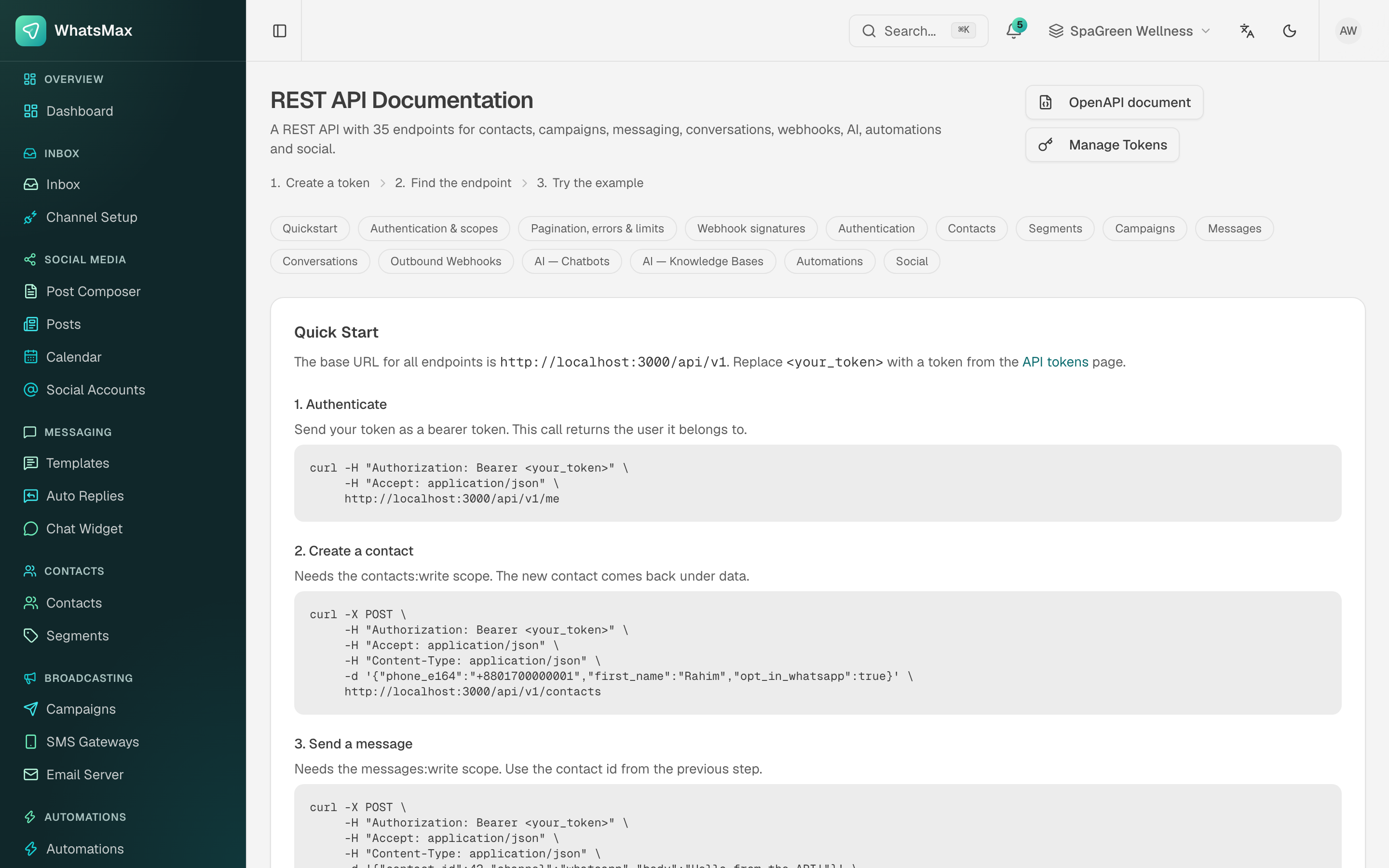 The in-app reference — grouped by resource, with runnable curl examples.
Developer → API Docs is the authoritative reference, and it always matches the version you are running. It is organised into Quickstart, Authentication & scopes, Pagination / errors / limits, Webhook signatures, and then one section per resource. Every endpoint comes with a copy-paste curl example against your own base URL.
OpenAPI document downloads the machine-readable spec — feed it to Postman, Insomnia or a client generator instead of writing a client by hand.
Example — send a message
curl -X POST https://your-domain/api/v1/messages/send \
  -H "Authorization: Bearer YOUR_API_TOKEN" \
  -H "Content-Type: application/json" \
  -d '{
    "channel": "whatsapp",
    "to": "+15551234567",
    "text": "Your order has shipped!"
  }'
Remember the 24-hour rule: outside the service window this must be a template send, not free text.
Example — trigger an automation
curl -X POST https://your-domain/api/v1/automations/AUTOMATION_ID/trigger \
  -H "Authorization: Bearer YOUR_API_TOKEN" \
  -H "Content-Type: application/json" \
  -d '{ "contact_id": "CONTACT_ID", "data": { "source": "crm" } }'
Outgoing webhooks
Developer → Webhooks pushes events out of WhatsMax to a URL you control.
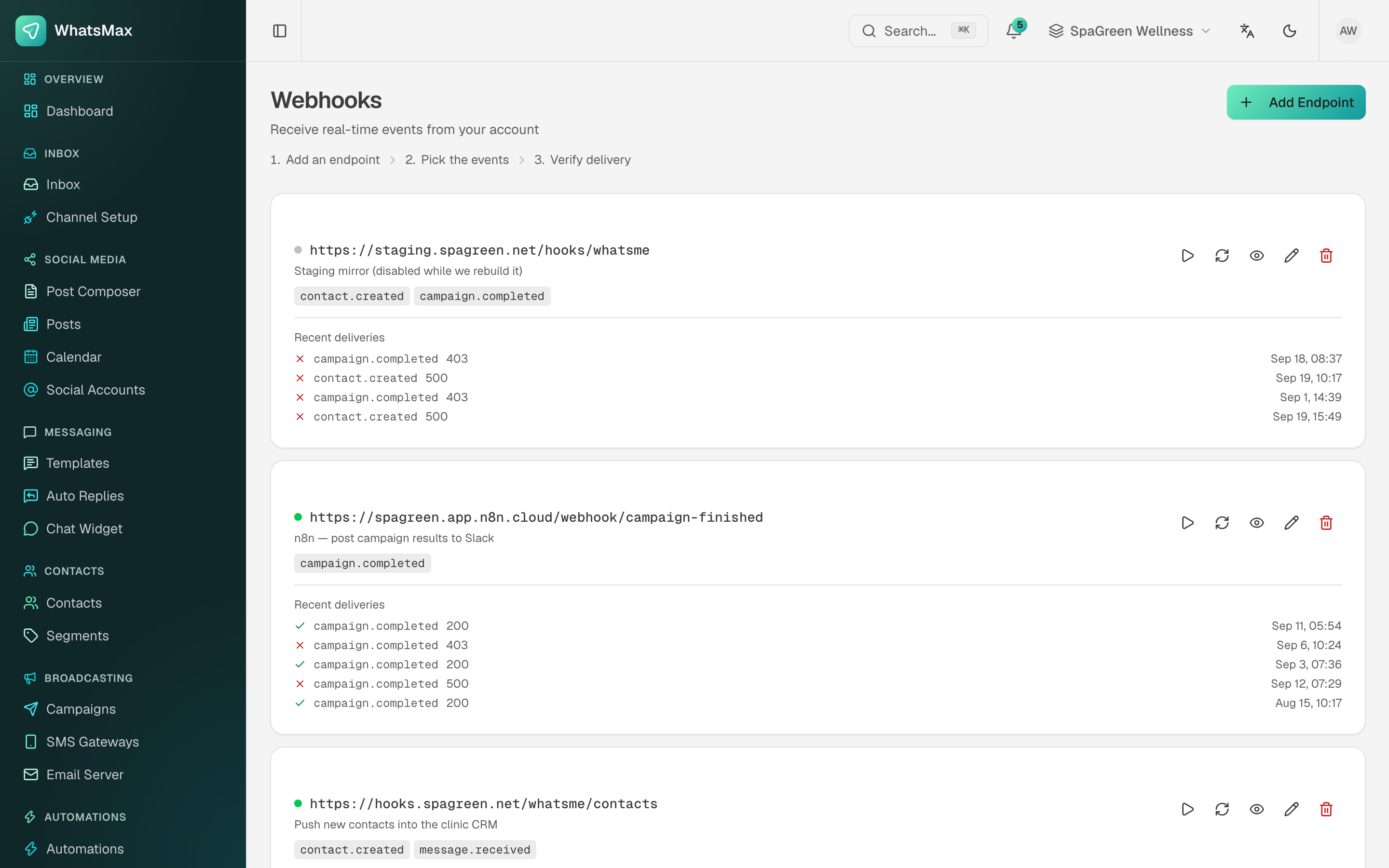 Endpoints, the events each is subscribed to, and the last few deliveries with their HTTP status.
- Add Endpoint — the HTTPS URL, a description, and the events to subscribe to (
contact.created,message.received,campaign.completed, …). - Copy the signing secret shown on creation and verify it on your side — it is how you know a request really came from WhatsMax.
- Each endpoint card lists recent deliveries with their response codes, so a
403or500is visible without digging through your own logs.
Per-endpoint controls: send a test event, retry a failed delivery, inspect a payload, edit, or disable the endpoint (the dot goes grey) without deleting it. Failed deliveries are retried automatically with backoff.
Reading the delivery list
Consistent 403 means your endpoint is rejecting the signature — check the secret. Consistent 500 means your handler is throwing. Mixed 200/500 usually means your endpoint times out under load; acknowledge fast and process asynchronously.
Incoming automation webhooks
The other direction — an external system starting a flow inside WhatsMax — uses an automation with a webhook trigger. Each one gets a unique URL:
https://your-domain/api/webhooks/automation/{token}
See Webhook automation for payload handling, and Automations for the builder.