
Introduction
WhatsMax is a self-hosted, multi-tenant SaaS platform for omnichannel messaging, marketing automation and AI-powered customer engagement. You install it once on your own server, connect your payment gateways, and sell subscription plans to your own customers — each customer gets their own isolated workspace.
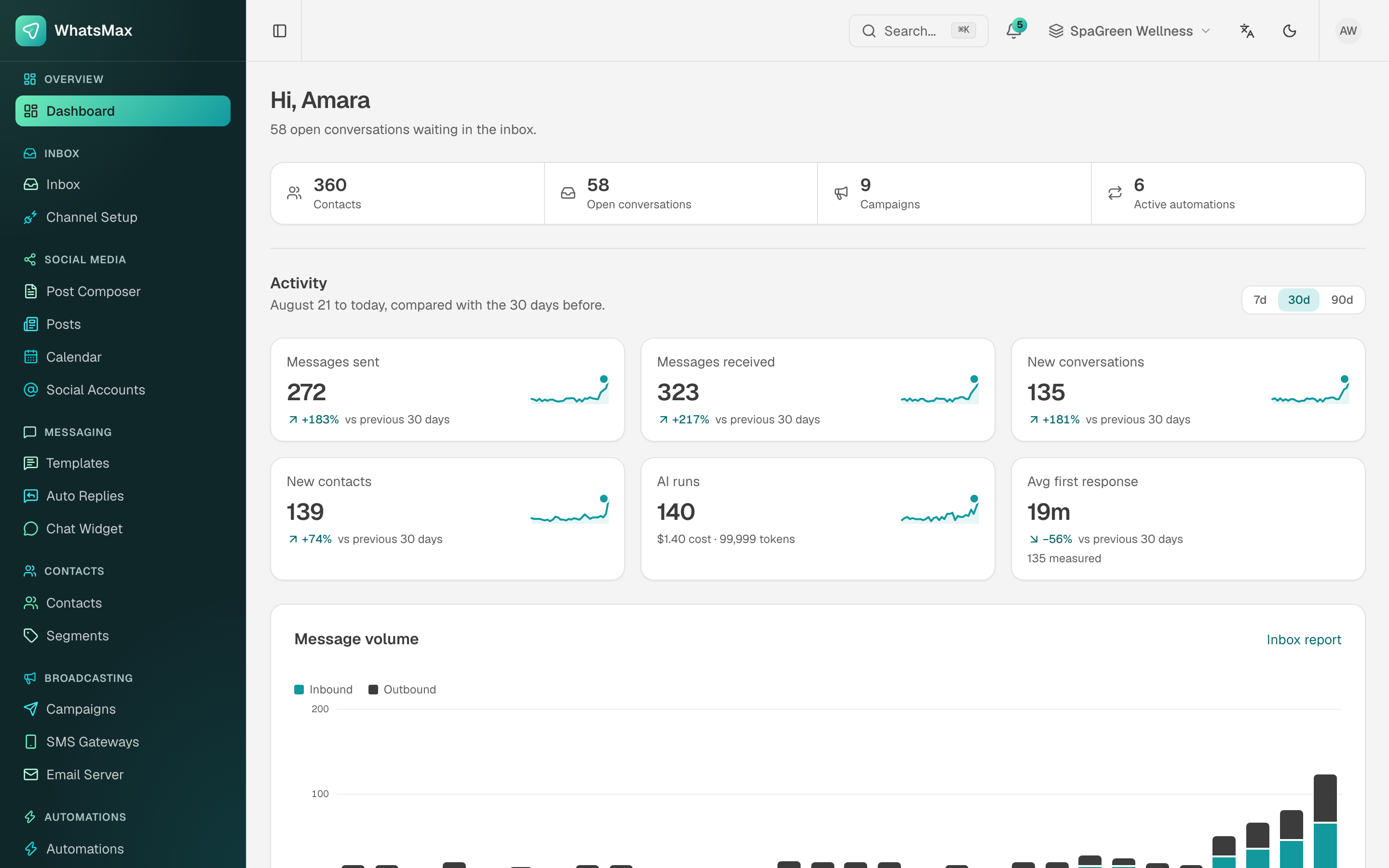 The workspace dashboard — every tenant gets their own view of conversations, campaigns and automation activity.
What can it do?
For your customers (workspace users)
- Omnichannel team inbox — WhatsApp Cloud API, Facebook Messenger, Instagram DM, Telegram, WeChat, SMS and email conversations in one shared inbox, with agent assignment, labels, private notes and conversation reports.
- Campaigns & broadcasting — bulk WhatsApp template campaigns, SMS campaigns (multiple gateways) and email campaigns sent to targeted contact segments.
- AI chatbots — bots powered by OpenAI, Anthropic Claude or Google Gemini, grounded in per-workspace knowledge bases (RAG), answering customers automatically in the inbox.
- Visual automations — a drag-and-drop builder with triggers, conditions and actions, plus AI-assisted "describe it and we build it" automation generation.
- Social media planner — compose, schedule and publish to Facebook, Instagram, LinkedIn, TikTok, X (Twitter) and YouTube with a content calendar.
- E-commerce — connect Shopify, WooCommerce and BigCommerce stores, sync orders and products, and recover abandoned carts through messaging.
- Contacts & leads — contact management with segments, a lead scraper and a kanban lead pipeline.
- Website chat widget — a click-to-chat WhatsApp button for any website; the conversation lands in the inbox.
- Developer platform — a scoped REST API, signed outgoing webhooks and a media library.
For you (platform owner)
- Full admin panel — clients, subscription plans, payments, coupons, tax rates, support tickets, CMS pages and a full site-content editor.
- 13+ payment gateways — Stripe, PayPal, Paddle, Razorpay, Paystack, Mollie, Square, Mercado Pago, Cashfree, Xendit, Tap, Paymob and MyFatoorah.
- Roles & permissions — granular RBAC for your admin team, with an audit log.
- White-label — plans can include white-label options for your top-tier customers.
Architecture at a glance
WhatsMax is a modern Next.js application backed by MySQL and Redis. In production three things must be running:
| Piece | Production command | Purpose |
|---|---|---|
| Web app | npm start (under PM2) | The Next.js server — UI, APIs, webhooks. |
| Worker | node scripts/worker (under PM2) | BullMQ background jobs — campaign sending, AI processing, store syncs. |
| Scheduler | node scripts/scheduler (cron, every minute) | Recurring tasks — scheduled campaigns and posts, billing reconciliation, cleanups. |
All three are required
The web app alone is not enough. Campaigns, scheduled posts, AI replies and automations sit silently in the queue unless the worker is running and the scheduler cron entry exists. The Production Deployment chapter sets both up.
Tech stack
| Layer | Technology |
|---|---|
| Framework | Next.js 16 (App Router, React 19) |
| Language | TypeScript |
| Database | MySQL 8 via Prisma ORM |
| Queues & cache | Redis via BullMQ |
| Authentication | Auth.js (web + admin), bearer tokens (API) |
| Realtime | Pusher Channels (optional) |
| Storage | Local disk or Amazon S3 / S3-compatible |
How this documentation is organized
- Requirements — what your server needs before you start.
- Installation — the complete CLI installation, step by step.
- Configuration — every
.envvariable explained. - First Steps — what to do right after installing.
- Deployment — going live with PM2, Nginx and SSL.
- Integrations — connecting external services one by one.
- Platform Guide — how every screen in the product works.
- Admin Panel — running the business side.