
Social Media (Messaging & Publishing)
WhatsMax integrates social networks in two ways:
- Inbox channels — Facebook Messenger and Instagram DM conversations flow into the shared inbox.
- Publishing — the social planner posts to Facebook, Instagram, LinkedIn, TikTok, X (Twitter) and YouTube.
Both use OAuth apps that you (the platform owner) create once per network in Admin → Configuration → Integrations. Your workspace users then just click "Connect" and authorize — they never handle API keys.
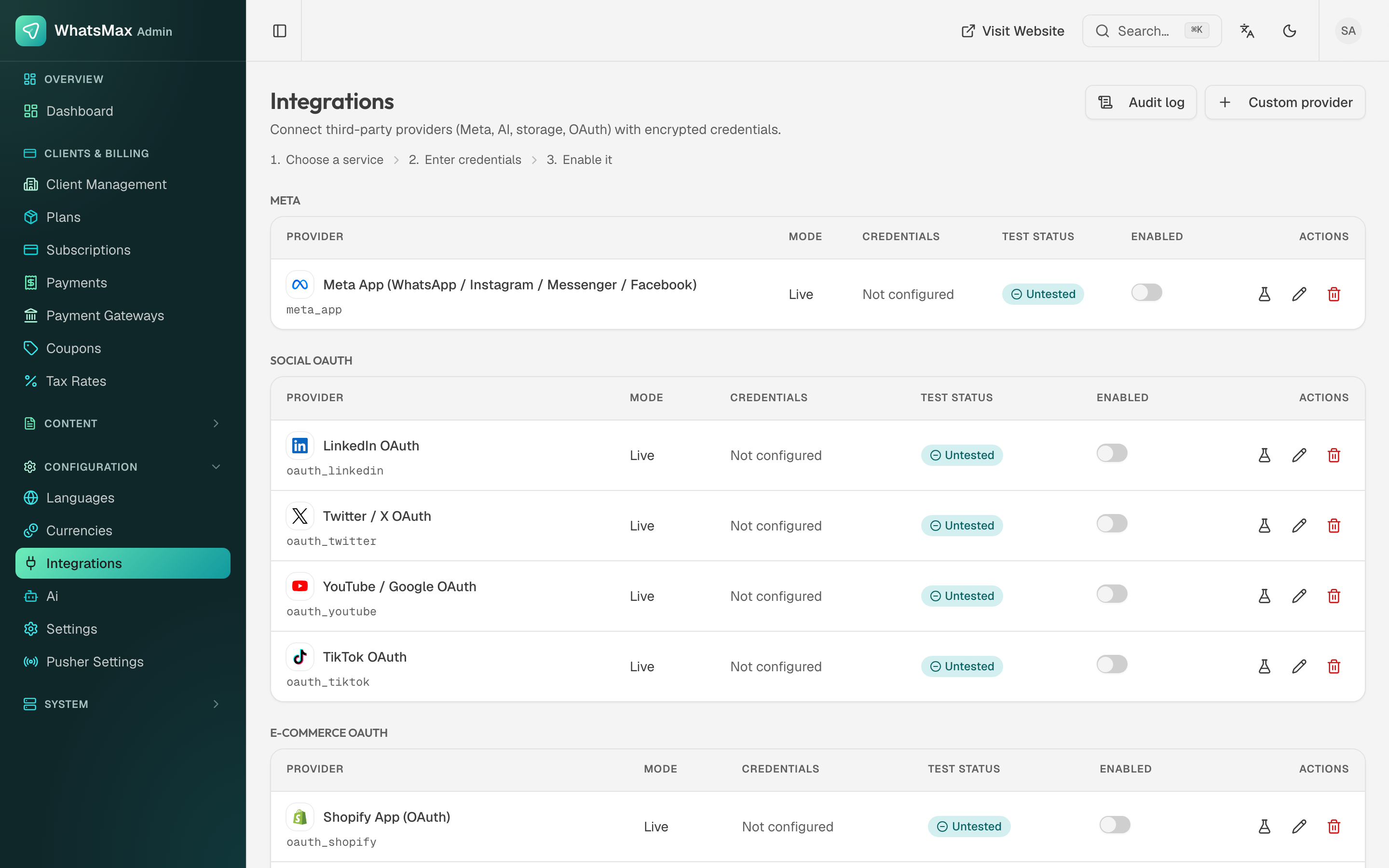 Admin → Integrations — one OAuth app per network, shared by all workspaces.
General OAuth pattern
Every network follows the same recipe:
- Create a developer app on the network's developer portal.
- Enter its Client/App ID and Client/App Secret in Admin → Integrations.
- Register the redirect URL that WhatsMax displays next to those fields in the network's app settings.
- Workspace users connect their accounts in Social Media → Social Accounts (publishing) or Inbox → Channel Setup (Messenger/Instagram inbox).
Facebook & Instagram (Meta)
One Meta app covers Messenger inbox, Instagram DM inbox, Facebook Page publishing and Instagram publishing.
- Use the same Business-type Meta app as your WhatsApp setup or create a dedicated one.
- Add the Facebook Login for Business and Messenger products; for Instagram add Instagram Graph API.
- Permissions to request:
pages_show_list,pages_manage_posts,pages_messaging,pages_read_engagement,instagram_basic,instagram_content_publish,instagram_manage_messages. - Messenger/Instagram inbound messages use the Meta webhook:
https://your-domain/api/webhooks/meta/{token}— the exact URL and verify token are shown during channel setup. - Instagram publishing requires the Instagram account to be a Business/Creator account linked to a Facebook Page.
App Review
While the Meta app is in Development mode, only users with a role on the app can connect. Before selling to real customers, submit the app for App Review with the permissions above and switch it to Live mode.
- Create an app at linkedin.com/developers.
- Add the Share on LinkedIn and Sign In with LinkedIn using OpenID Connect products (plus Community Management API for organization pages).
- Copy Client ID/Secret into Admin → Integrations, register the redirect URL.
TikTok
- Create an app at developers.tiktok.com.
- Add the Content Posting API product and request
video.publishscope. - TikTok requires app review before public posting; sandbox mode works for your own test account meanwhile.
X (Twitter)
- Create a project + app at developer.x.com (paid API tiers apply for meaningful posting volume).
- Enable OAuth 2.0 with
tweet.read,tweet.write,users.read,offline.accessscopes. - Enter the Client ID/Secret in Admin → Integrations.
YouTube
- Create a project in Google Cloud Console, enable the YouTube Data API v3.
- Configure the OAuth consent screen (external), add the
youtube.uploadscope. - Create OAuth client credentials (Web application) with the WhatsMax redirect URL, and enter them in Admin → Integrations.
- Google verification is required to lift the 100-user cap on unverified apps.
Connecting accounts (workspace side)
Users go to Social Media → Social Accounts → Connect, pick the network, and complete the OAuth popup. Connected pages/profiles then appear as publishing targets in the social planner.
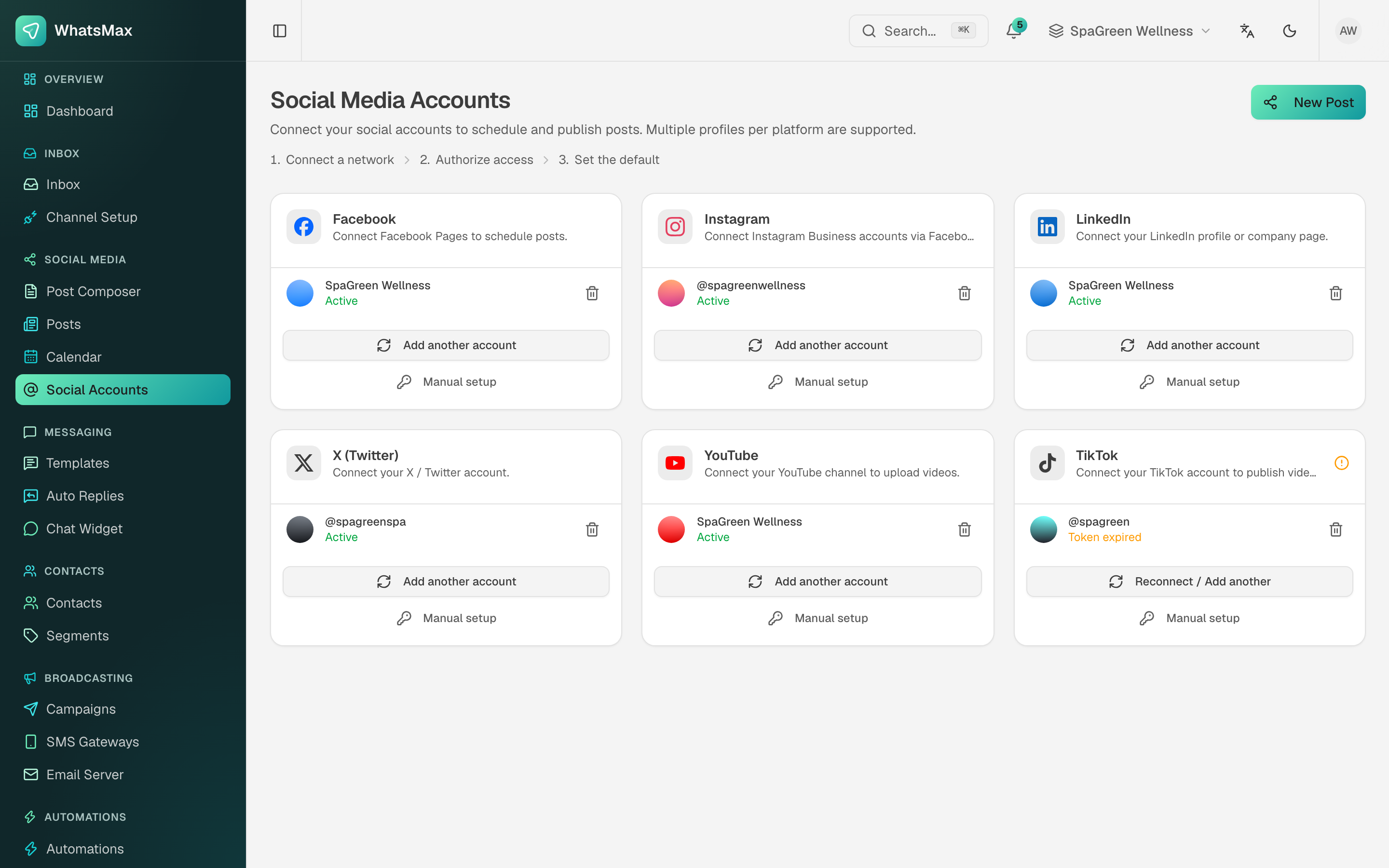 Workspace view — connected social profiles.