
Contacts & Segments
Every person your customer talks to lives in Contacts — one record per human, no matter how many channels they use. Segments are saved filters over that list, and they are what campaigns and automations target.
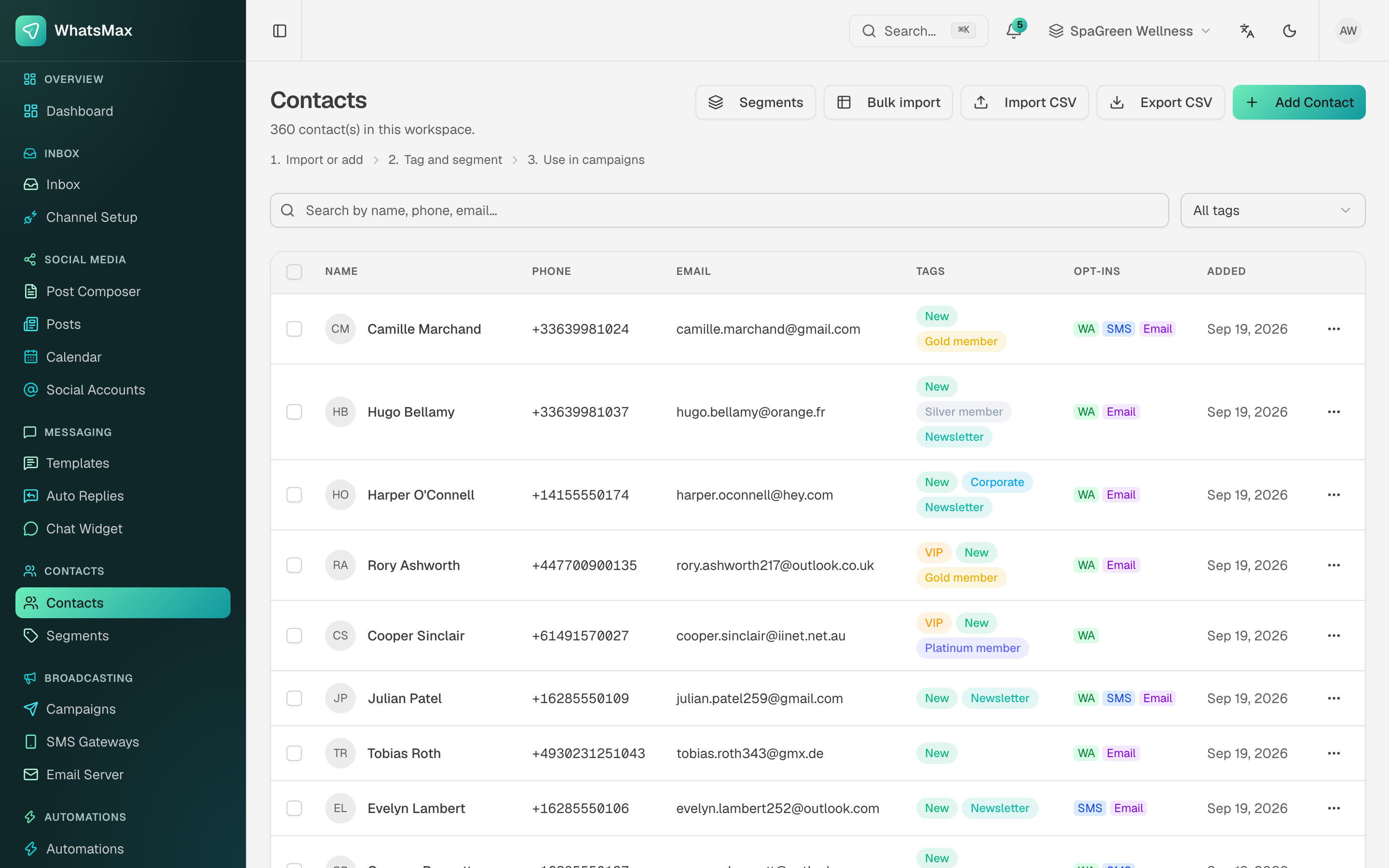 The contact list — tags, per-channel opt-ins and when each contact arrived.
Where contacts come from
You rarely create contacts by hand. They appear automatically:
| Source | What happens |
|---|---|
| Inbound message | A WhatsApp, Messenger, Instagram, Telegram, WeChat, SMS or widget message creates the contact if the sender is new, and attaches that channel identity to them. |
| CSV import | Import CSV for a normal file, Bulk import for very large lists (processed in the background by the worker). |
| E-commerce sync | Store customers are matched to contacts by email or phone — see E-commerce. |
| Lead pipeline | Leads you convert become contacts — see Leads. |
| REST API | POST /api/v1/contacts — see Developer API. |
What a contact holds
- Identity — name, phone, email, avatar.
- Channel identities — the WhatsApp number, Instagram handle, Messenger ID and so on that all resolve to this one person.
- Tags — free-form labels such as
VIP,Newsletter,Gold member. Tags are the main segmentation tool. - Custom attributes — any extra key/value data you push in (city, plan, last purchase). Usable in message variables and segment rules.
- Opt-ins — per-channel consent flags (WhatsApp / SMS / Email). Campaigns respect these.
- History — past conversations, orders from connected stores, and automation activity.
Open any row to see the full profile.
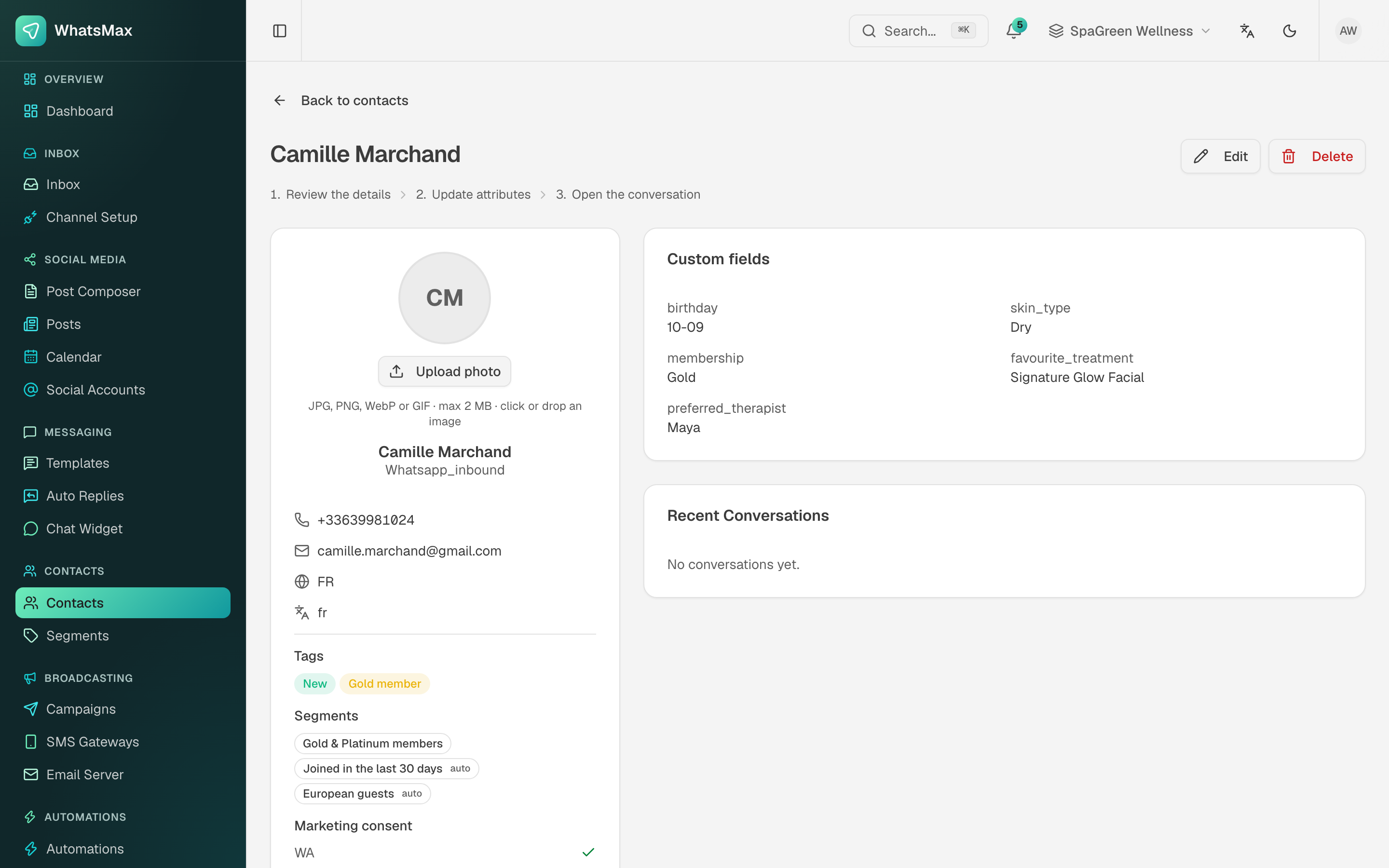 A single contact — attributes, tags, consent and conversation history in one place.
Importing a CSV
- Contacts → Import CSV.
- Upload the file. The first row must be a header row.
- Map your columns to WhatsMax fields — name, phone, email, tags, plus any custom attribute.
- Review the preview and confirm.
Phone number format
Import numbers in full international format (+15551234567). Numbers without a country code cannot be matched to WhatsApp and will fail at send time, not at import time.
Bulk import is the same idea for large files: the job is queued and processed by the worker, so the browser tab does not have to stay open. Progress is shown on the import screen.
Export CSV dumps the current filter — useful for backups or moving data elsewhere.
Segments
A segment is a named audience. Contacts → Segments.
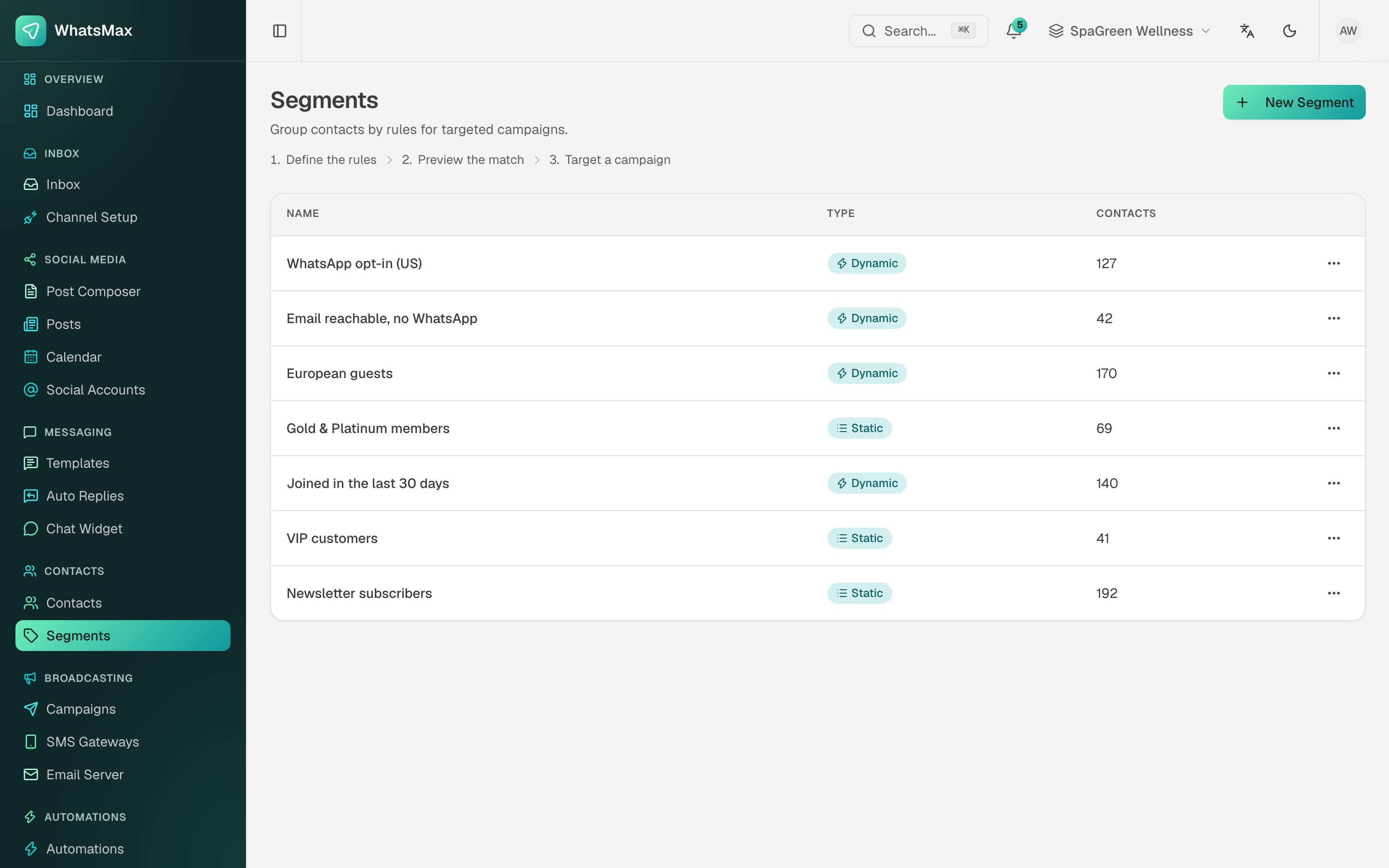 Segments — dynamic ones re-evaluate themselves, static ones are a fixed list.
| Type | Behaviour | Use it for |
|---|---|---|
| Dynamic | Defined by rules and re-evaluated every time it is used. The count changes as contacts change. | "Everyone who opted in to WhatsApp in the US", "joined in the last 30 days". |
| Static | A fixed set of contacts you picked once. | A one-off launch list, a hand-curated VIP group. |
Rules combine contact fields, tags, custom attributes, channel opt-ins and dates. The builder shows the matching contact count before you save, so you always know how big an audience you are about to message.
Using a segment
- Campaigns — pick the segment as the audience (Campaigns).
- Automations — "is in segment" works as a condition (Automations).
- Contacts view — open a segment to browse exactly who is in it.
Housekeeping advice for your users
- Keep tags few and meaningful. Fifty near-identical tags make segments useless.
- Put anything you want to personalise on (first name, city, plan) in an attribute, not in a tag.
- Never message contacts whose opt-in for that channel is off — WhatsApp blocks and email spam complaints are what get senders suspended.