
Templates, Auto Replies & Canned Replies
Three different things in the Messaging menu are easy to confuse. The short version:
| Feature | Who sends it | When |
|---|---|---|
| Templates | The system | Any outbound WhatsApp message outside the 24-hour window, and every WhatsApp campaign. Must be approved by Meta. |
| Auto Replies | The system | Automatically, on a keyword or a first message. No approval needed. |
| Canned Replies | A human agent | An agent types a shortcut in the composer to paste a saved answer. |
WhatsApp templates
Messaging → Templates. A template is a pre-approved message shape with variable slots — Hi {{1}}, your order {{2}} has shipped. Meta reviews every one.
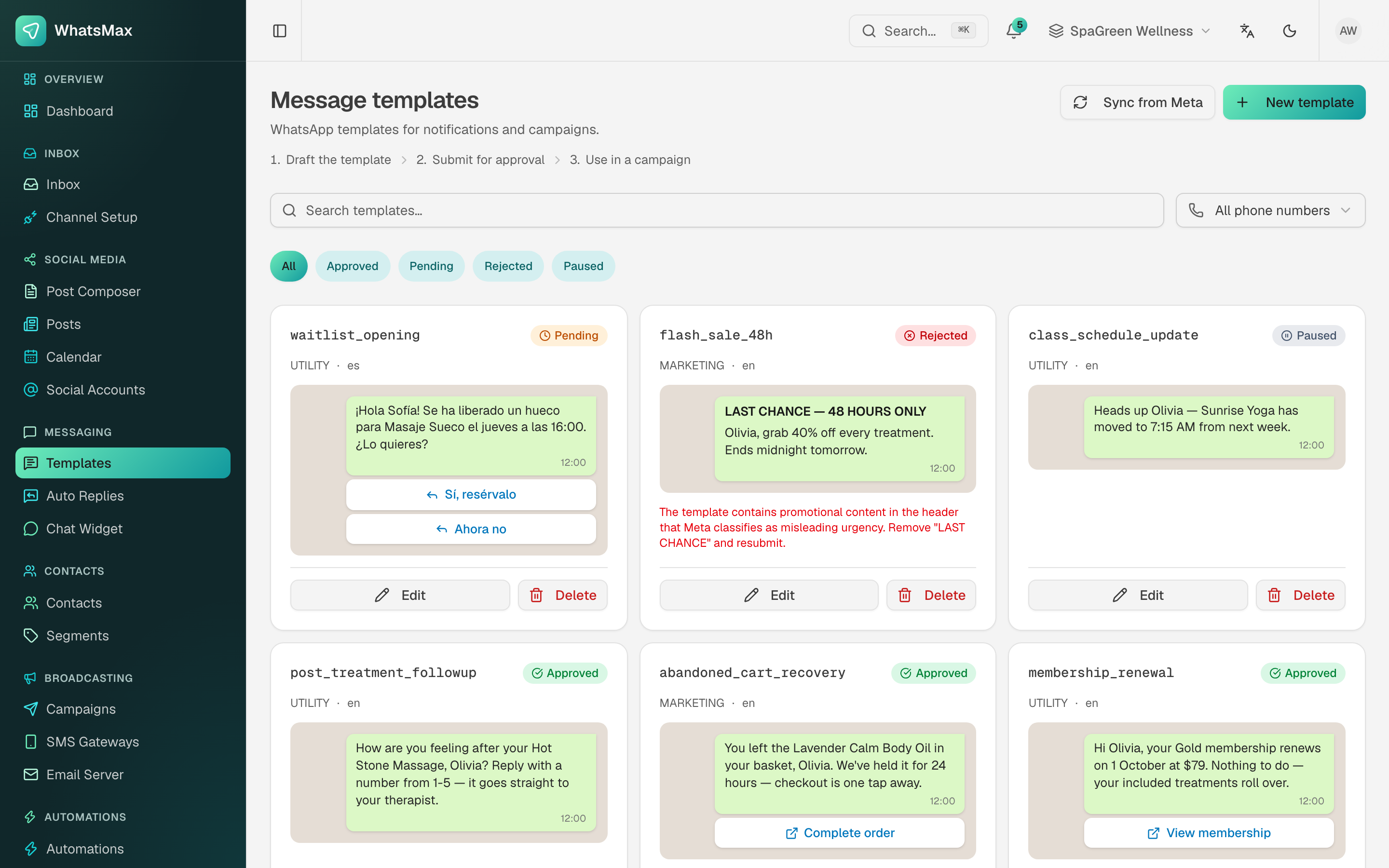 Each template rendered as the customer will see it, with its live status from Meta.
- New template — name it (lowercase with underscores, e.g.
post_treatment_followup), pick a language and a category:UTILITY,MARKETINGorAUTHENTICATION. - Build the body, and optionally a header (text, image, video or document), a footer and buttons — quick replies or call-to-action links.
- Mark the variables. Each is mapped to a contact field or a campaign column at send time.
- Submit for approval.
- Meta approves or rejects within minutes to a day. The status updates itself through the
message_template_status_updatewebhook — nothing to refresh. See WhatsApp setup.
Filter the list by status — Approved, Pending, Rejected, Paused — or by phone number when the workspace has several. Sync from Meta pulls in templates that were created on Meta's side rather than here.
Why templates get rejected
Almost always the wording: promotional language in a UTILITY template, unclear variable context, or manufactured urgency. Meta's rejection reason is printed on the card in red — read it, fix exactly that, resubmit. A Paused template is one Meta throttled for poor quality feedback; it comes back on its own if the complaints stop.
Auto replies
Messaging → Auto Replies. Instant, rule-based responses that need no AI and no approval.
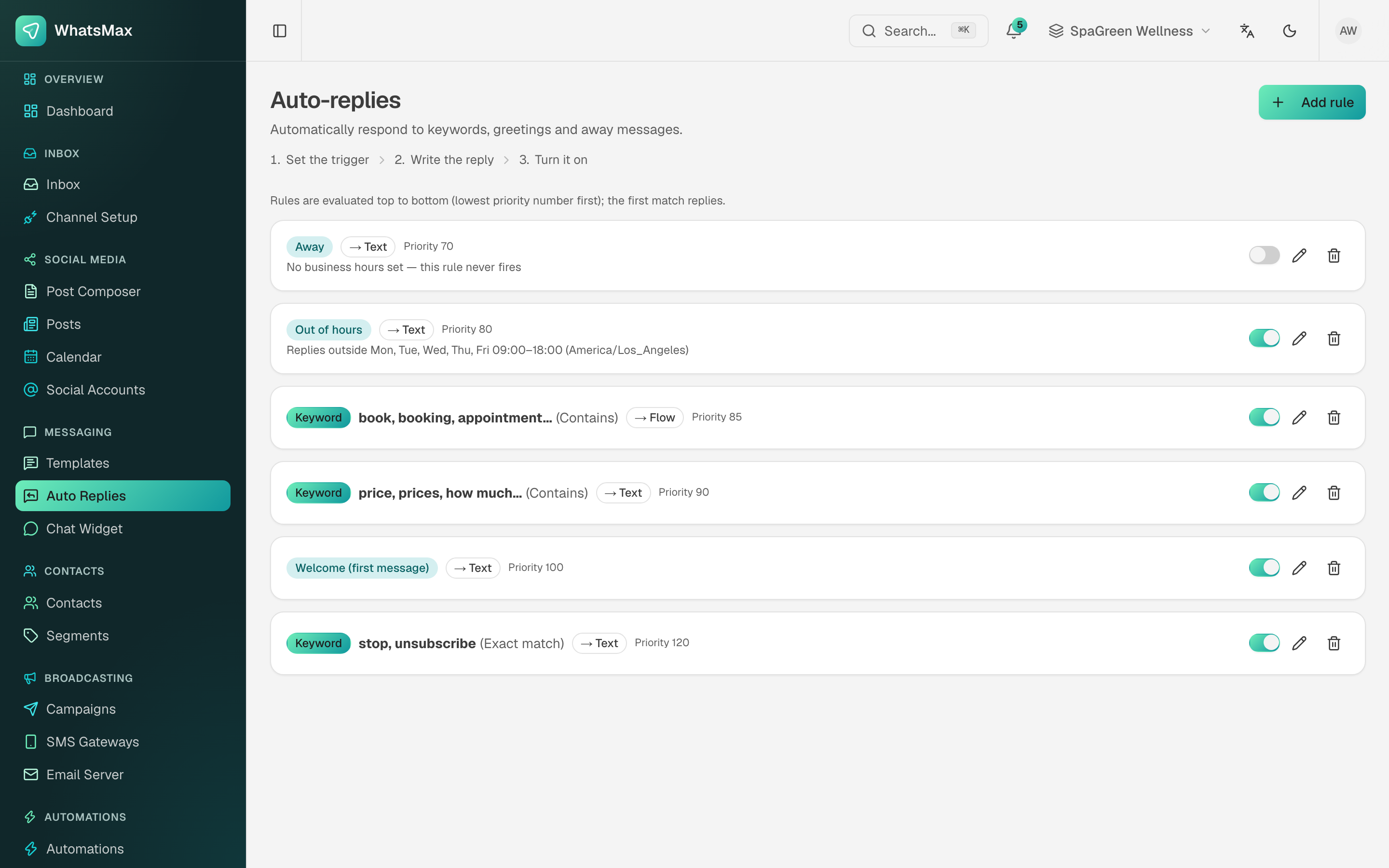 Keyword and welcome rules.
- Welcome reply — sent the first time a new contact writes.
- Keyword rules — when the inbound message matches a keyword (exact, contains, or starts-with), send this reply.
- Away / after-hours reply — sent outside business hours.
Auto replies fire before any chatbot does, which makes them the cheapest way to answer the questions that arrive a hundred times a day ("what are your opening hours?").
For anything that needs branching, waiting or data lookups, use an automation instead. For anything that needs to understand the question, use an AI chatbot.
Canned replies
Inbox → Canned Replies. Saved snippets for agents, inserted with a shortcut.
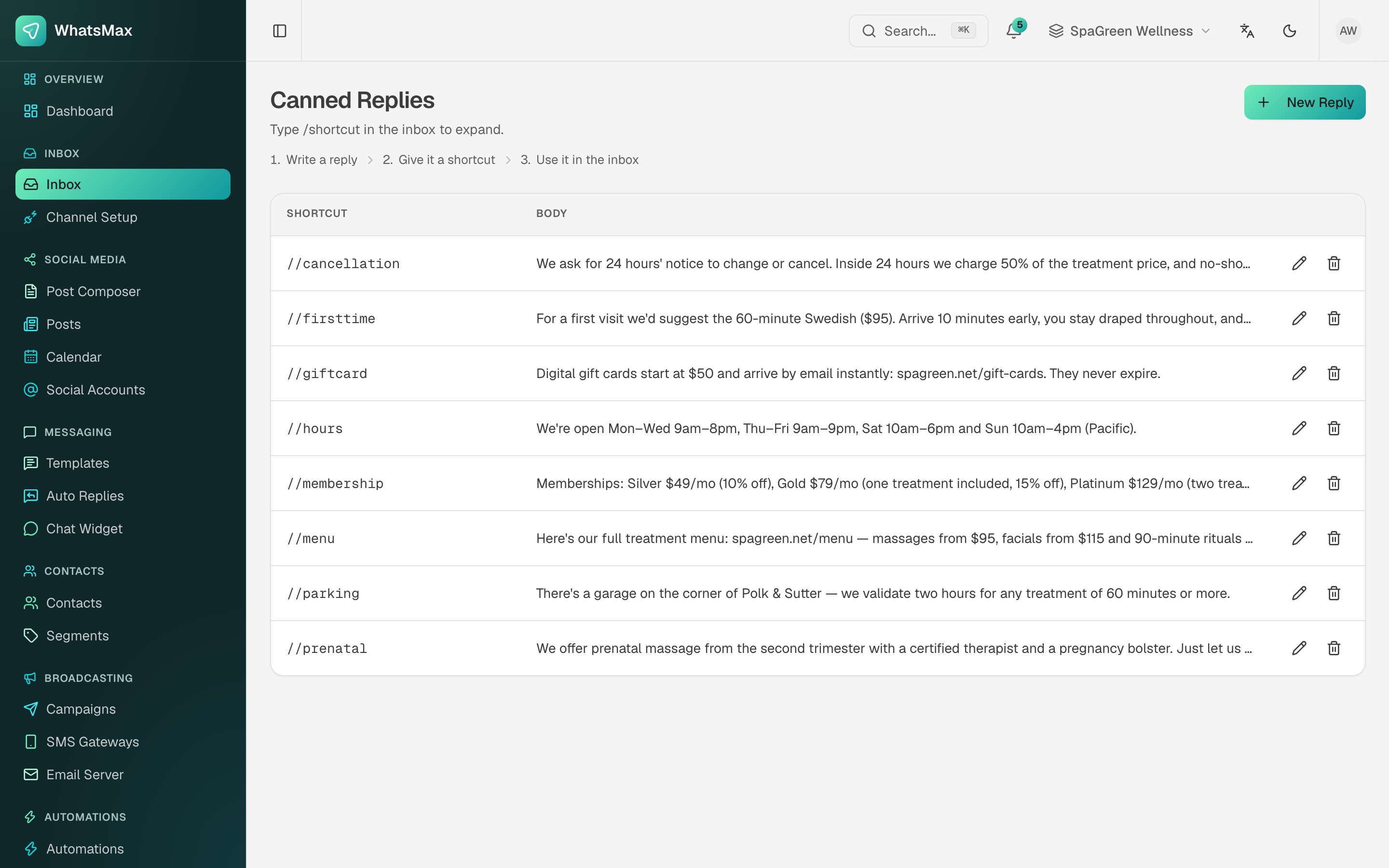 Canned replies — a shortcut, a title and the text that gets pasted.
An agent types / plus the shortcut in the inbox composer and the full text drops in, ready to edit before sending. Canned replies support the same contact variables as templates, so Hi {{contact.first_name}} resolves per conversation.
Good candidates: refund policy, opening hours, address and directions, "let me check that for you".
Labels
Inbox → Labels defines the coloured tags agents put on conversations (not on contacts — those are contact tags).
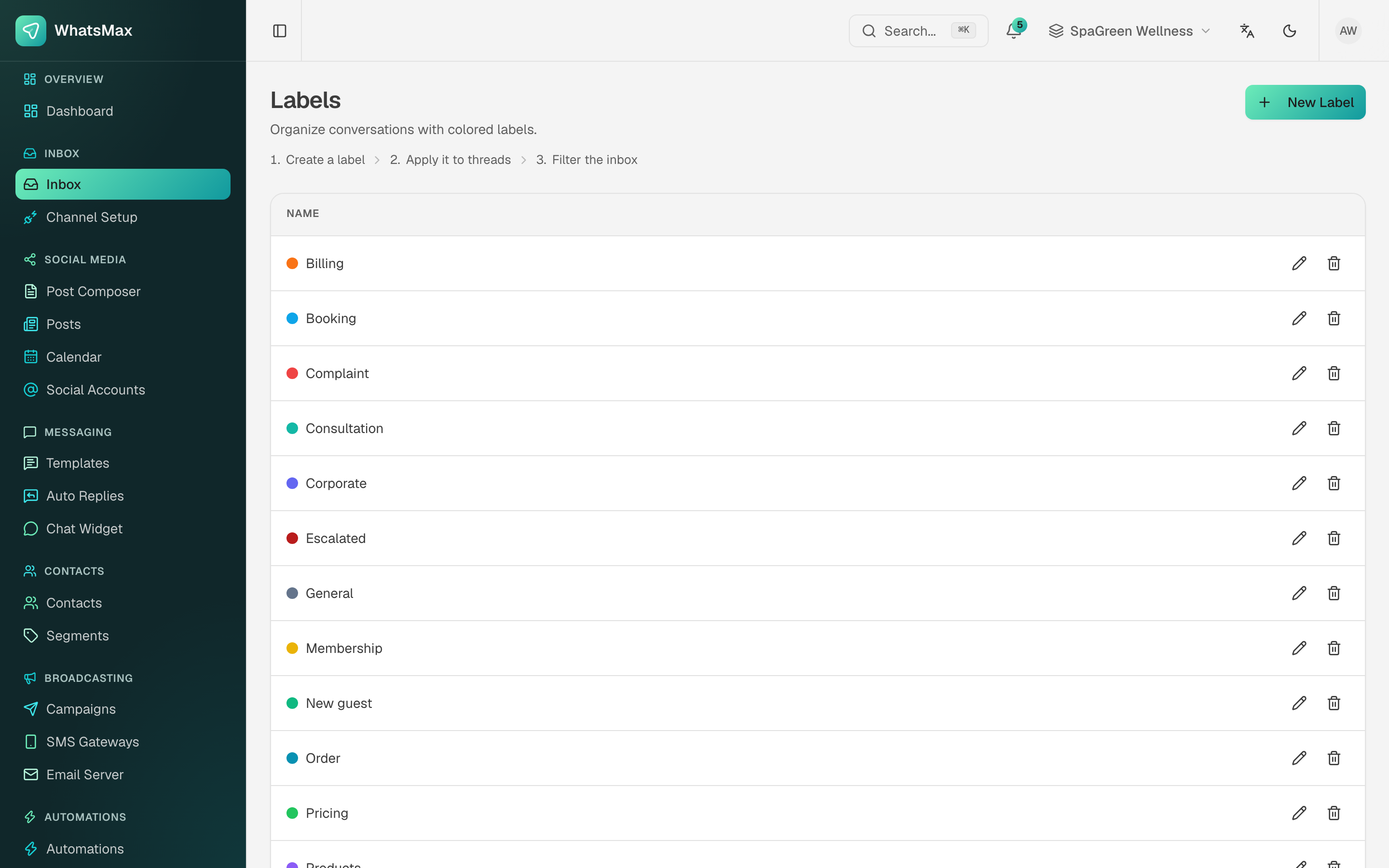 Conversation labels with their colours.
Labels drive inbox filtering and show up in inbox reports, so keep the list short and consistent: a handful like Billing, Complaint, Booking, Escalated tells you far more than forty ad-hoc ones.