
Subscription, Billing & Support
This is the customer's side of your business relationship: what they pay you, and how they ask you for help. As the platform owner you see the other side of both in the admin panel.
Subscription
Billing → Subscription shows the current plan and what happens next.
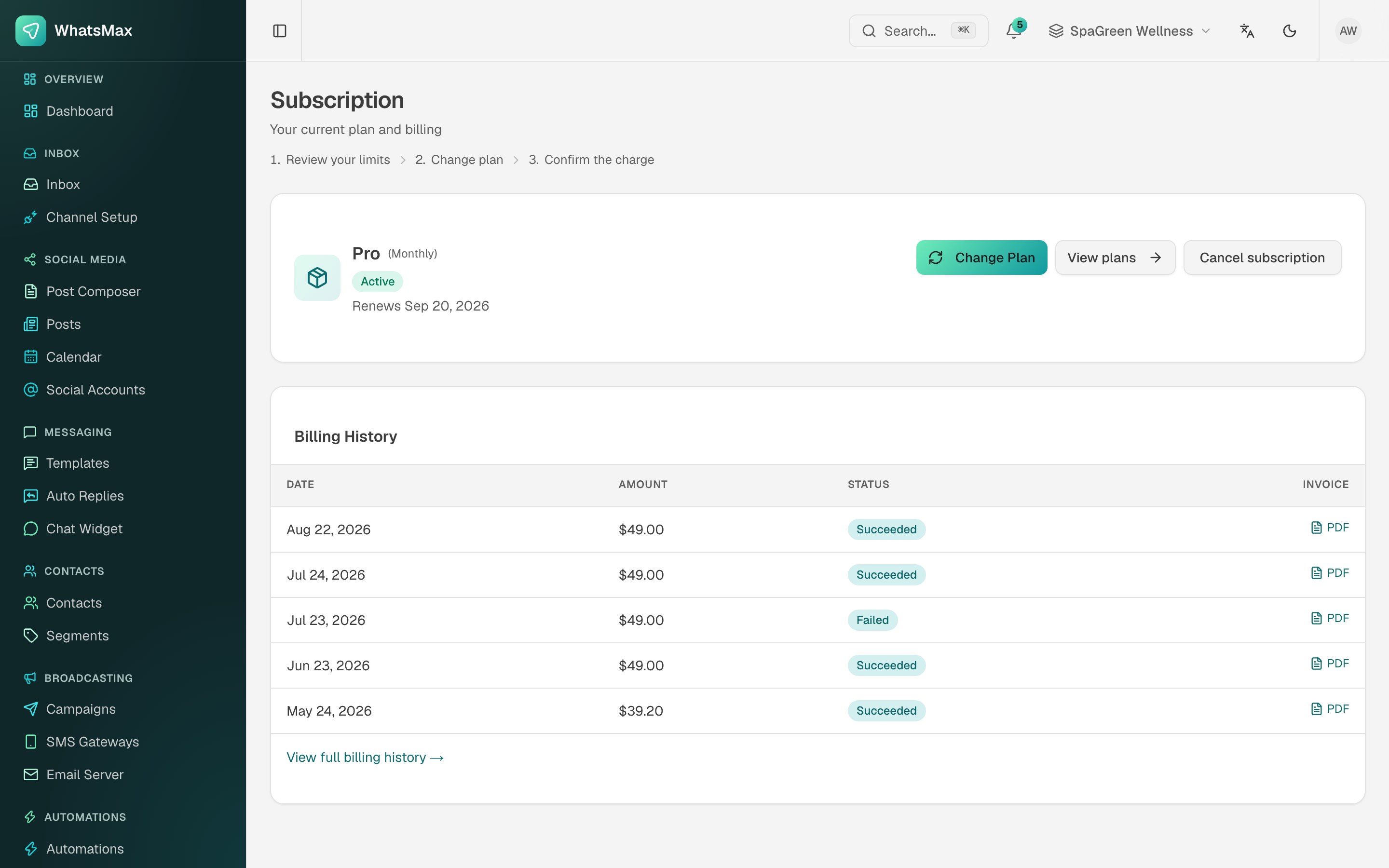 Current plan, renewal date and the full billing history with invoice PDFs.
- Plan card — name, status (
active,trialing,past_due,cancelled) and the renewal date. - Change plan — upgrade or downgrade. Proration and the charge are shown before confirming.
- View plans — the public pricing table, also at Billing → Plans.
- Cancel subscription — access continues until the end of the paid period.
- Billing history — every charge with its status and a downloadable PDF invoice.
A failed charge shows as Failed in the history and moves the subscription into a past-due state. Your gateway's dunning settings decide how often it retries; the state reaching WhatsMax depends on the gateway webhook being configured.
Billing → Billing is the same history on its own page — every charge with its plan, status and a downloadable PDF invoice — which is the page to send an accountant to.
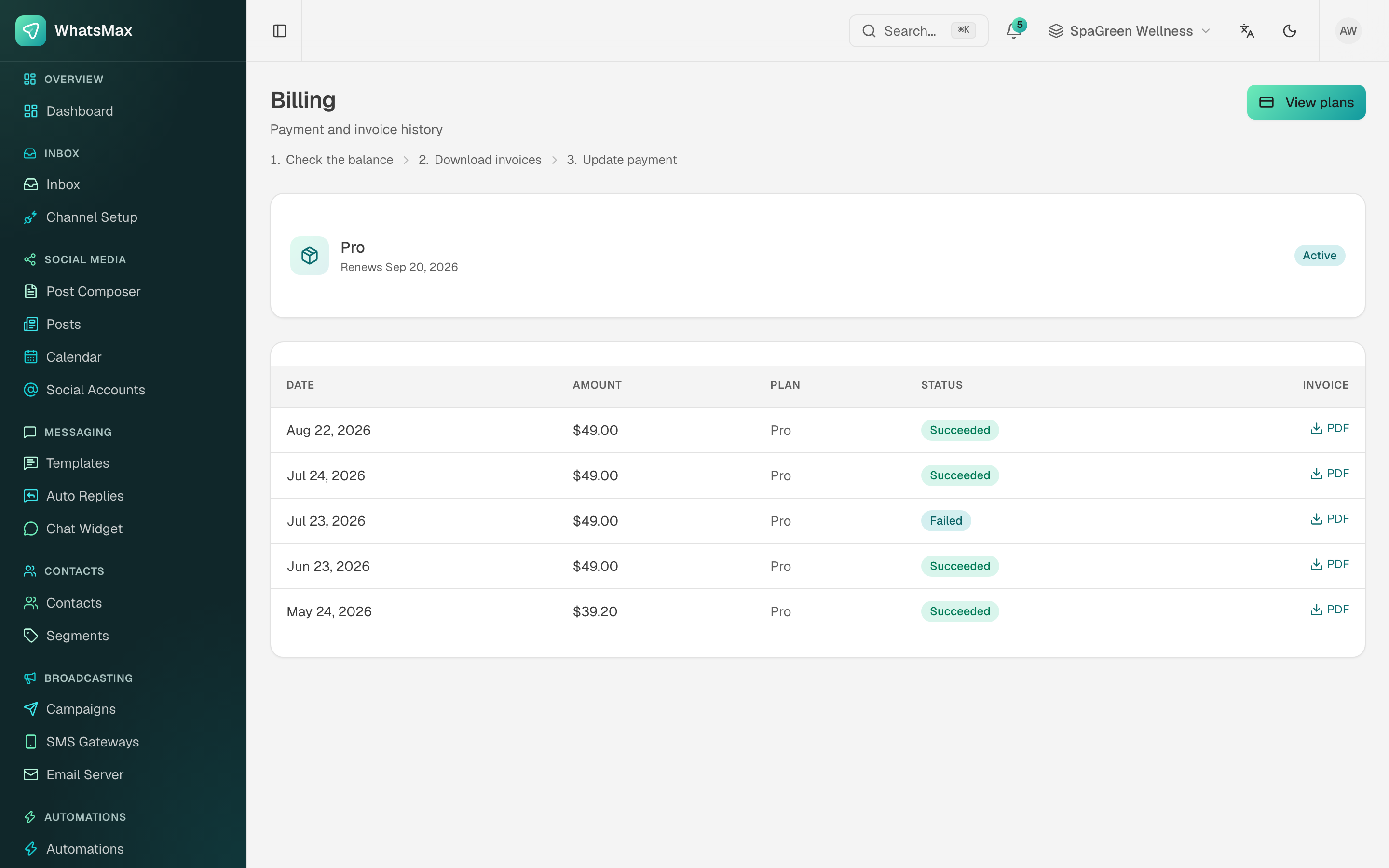 Payment and invoice history.
Billing → Plans shows the public pricing table with the monthly/yearly switch, so a customer can compare before upgrading.
Plan limits
Plans are not only a price. Each one carries the limits your customer lives inside — contacts, workspaces, team seats, media storage, AI usage, channels. When a limit is hit, the app says which limit and points at the upgrade. You define all of it in Admin → Plans.
Support tickets
Support → Support Tickets is a direct line from your customer to you — not a helpdesk for their customers (that is the inbox).
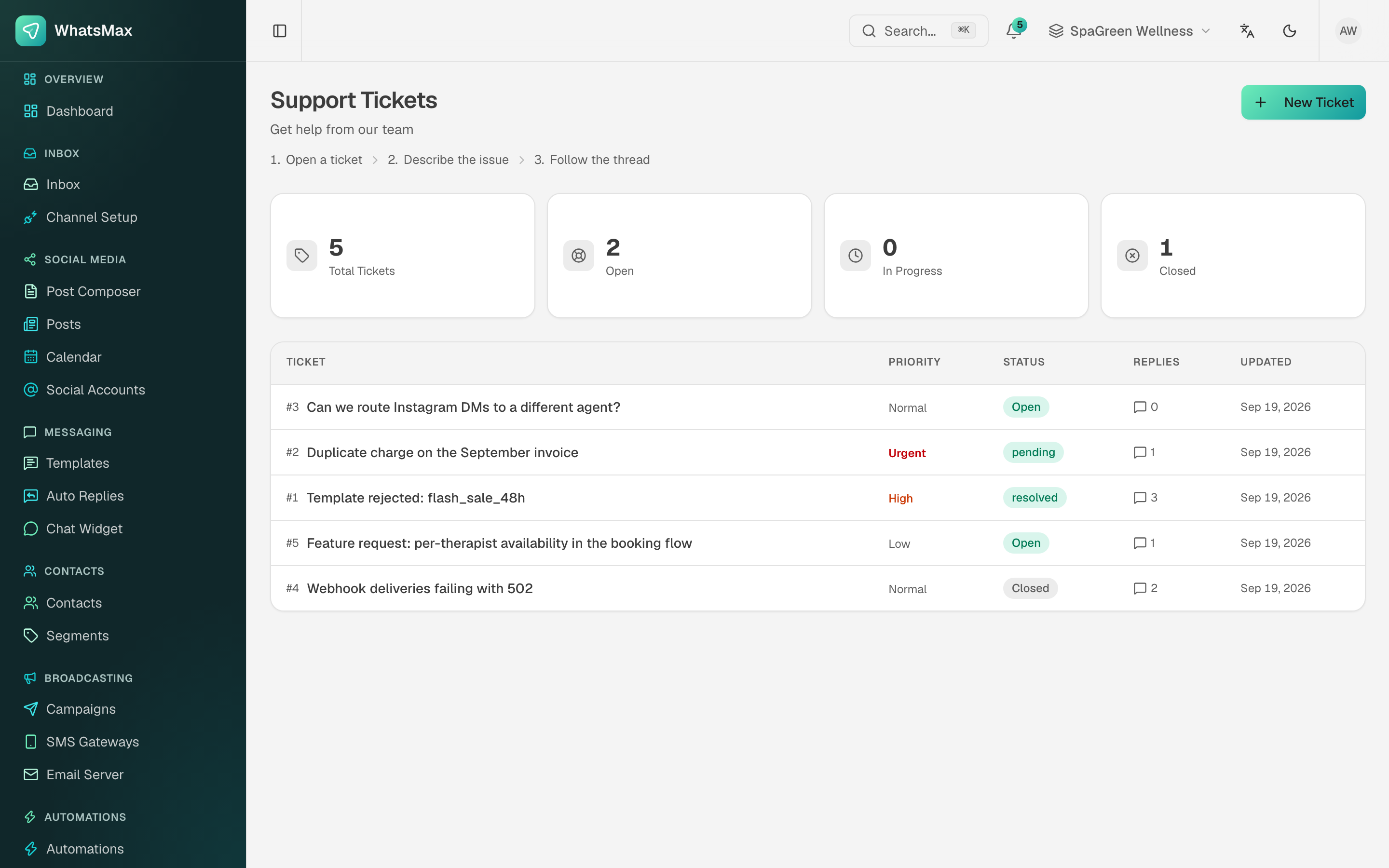 The customer's ticket list with priority, status and reply count.
- New Ticket — subject, description, priority (
Low,Normal,High,Urgent) and optional attachments. - The ticket lands in Admin → Content → Support on your side.
- Both sides reply in the same thread; the customer sees the reply count and the last update.
- Status moves
Open→Pending→Resolved→Closed.
Answer from the admin panel, not from email
Replies posted in Admin → Support are what the customer sees in their ticket. Answering the notification email from your own mailbox leaves the thread looking unanswered.