
Website Chat Widget
The chat widget is a click-to-chat WhatsApp button you drop onto any website with one script tag. A visitor clicks the bubble, WhatsApp opens with a message already written, and the conversation lands in the inbox as a normal WhatsApp thread.
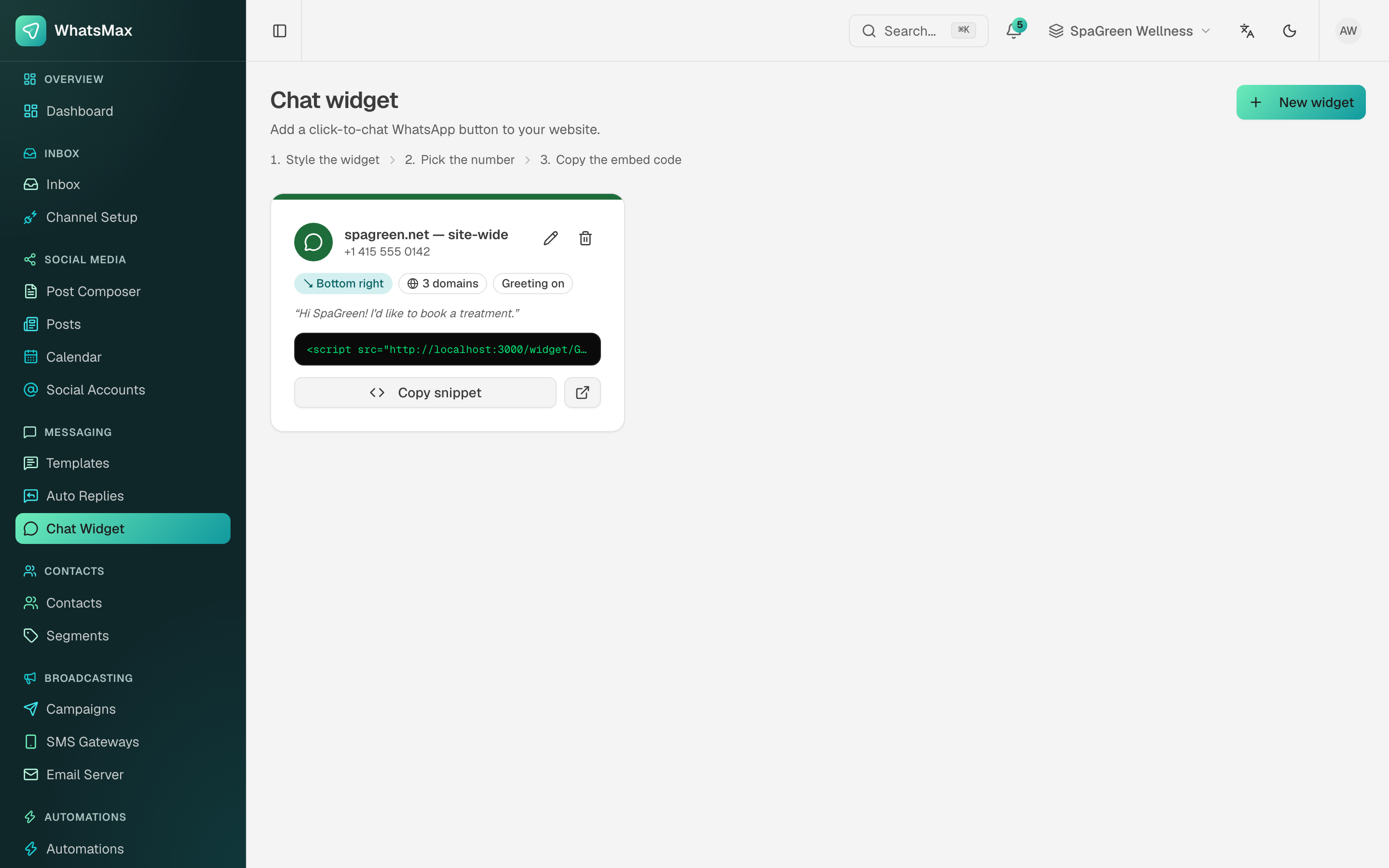 A configured widget — number, position, allowed domains and the embed snippet.
Messaging → Chat Widget → New widget.
What you configure
| Setting | What it does |
|---|---|
| Name | Internal label, e.g. "spagreen.net — site-wide". |
| WhatsApp number | Which connected number the chat goes to. |
| Greeting message | The text shown in the little bubble before the visitor clicks. |
| Pre-filled message | What is already typed in WhatsApp when it opens — "Hi SpaGreen! I'd like to book a treatment." Because it arrives as the visitor's first message, it also gives the agent context. |
| Agent name and avatar colour | The face on the bubble. |
| Button colour | Match it to the site. |
| Position | Bottom right or bottom left. |
| Allowed domains | The widget only renders on these domains. Leave it tight — it stops anyone else embedding your snippet. |
| Working hours | Outside them the widget can show an away state instead of inviting a chat that nobody will answer. |
Installing it
Click Copy snippet and paste it before </body> on the site:
<script src="https://your-domain/widget/WIDGET_KEY" async></script>
It works on anything that lets you add HTML — WordPress, Shopify, Webflow, a hand-written page. Use the preview button next to the snippet to check the styling before you ship it.
What happens after a click
- The visitor clicks the bubble.
- WhatsApp opens (app on mobile, WhatsApp Web on desktop) with the pre-filled message.
- They hit send — and because it is a real inbound WhatsApp message, a contact is created and the 24-hour service window opens.
- An auto reply or AI chatbot can answer instantly, or an agent picks it up from the inbox.
Multiple widgets
Create one widget per site or per campaign landing page, each with its own pre-filled message. The wording of that first message then tells you where the lead came from, with no tracking parameters needed.