
Social Media Planner
Plan, schedule and publish content to Facebook, Instagram, LinkedIn, TikTok, X (Twitter) and YouTube from one place. Everything lives under Social Media.
Prerequisites
- You, the platform owner, have created the OAuth app for each network in Admin → Integrations — see Social Media integration.
- The workspace has connected its own pages and profiles in Social Media → Social Accounts.
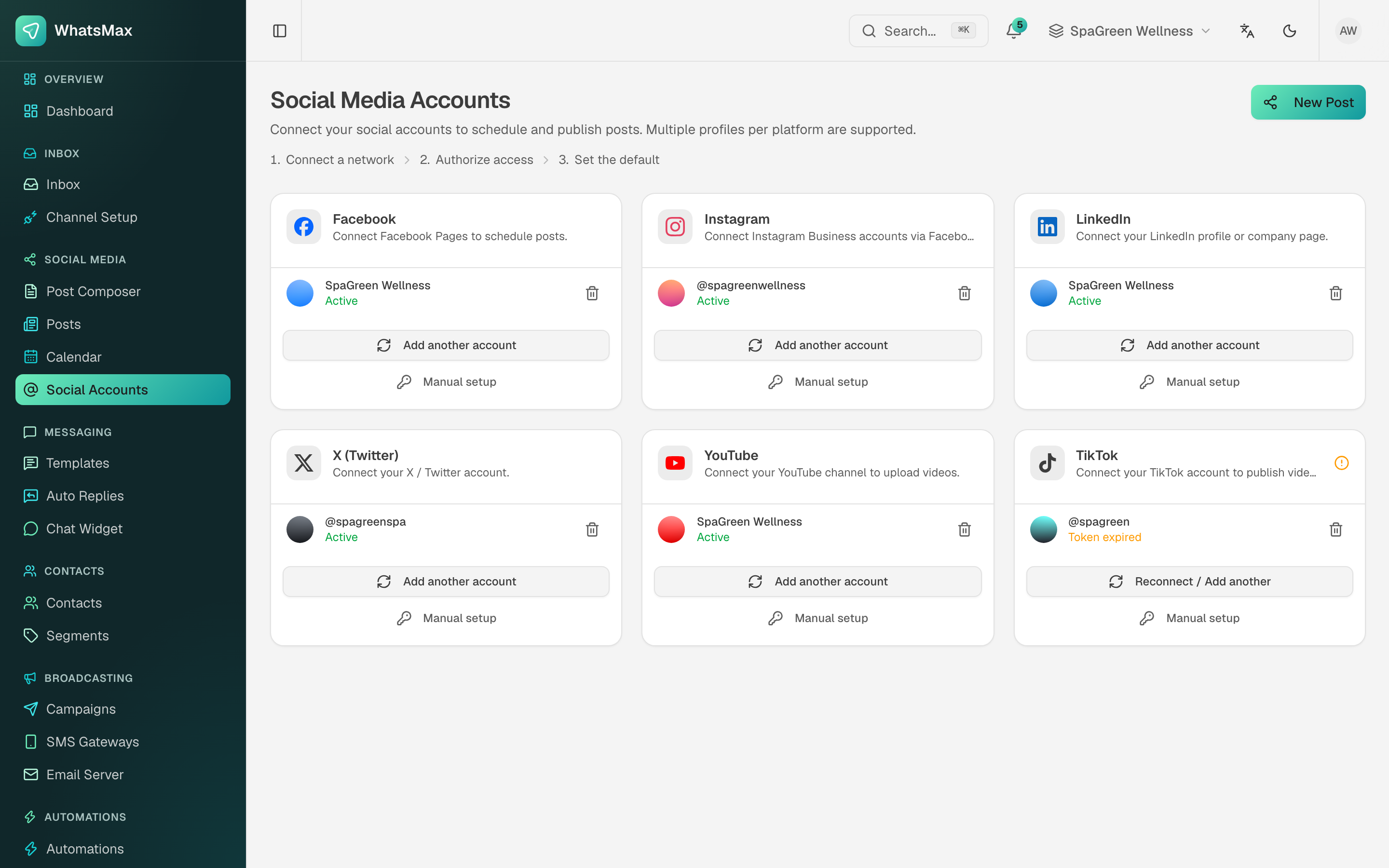 Connected profiles, one card per network.
Composing a post
Social Media → Post Composer.
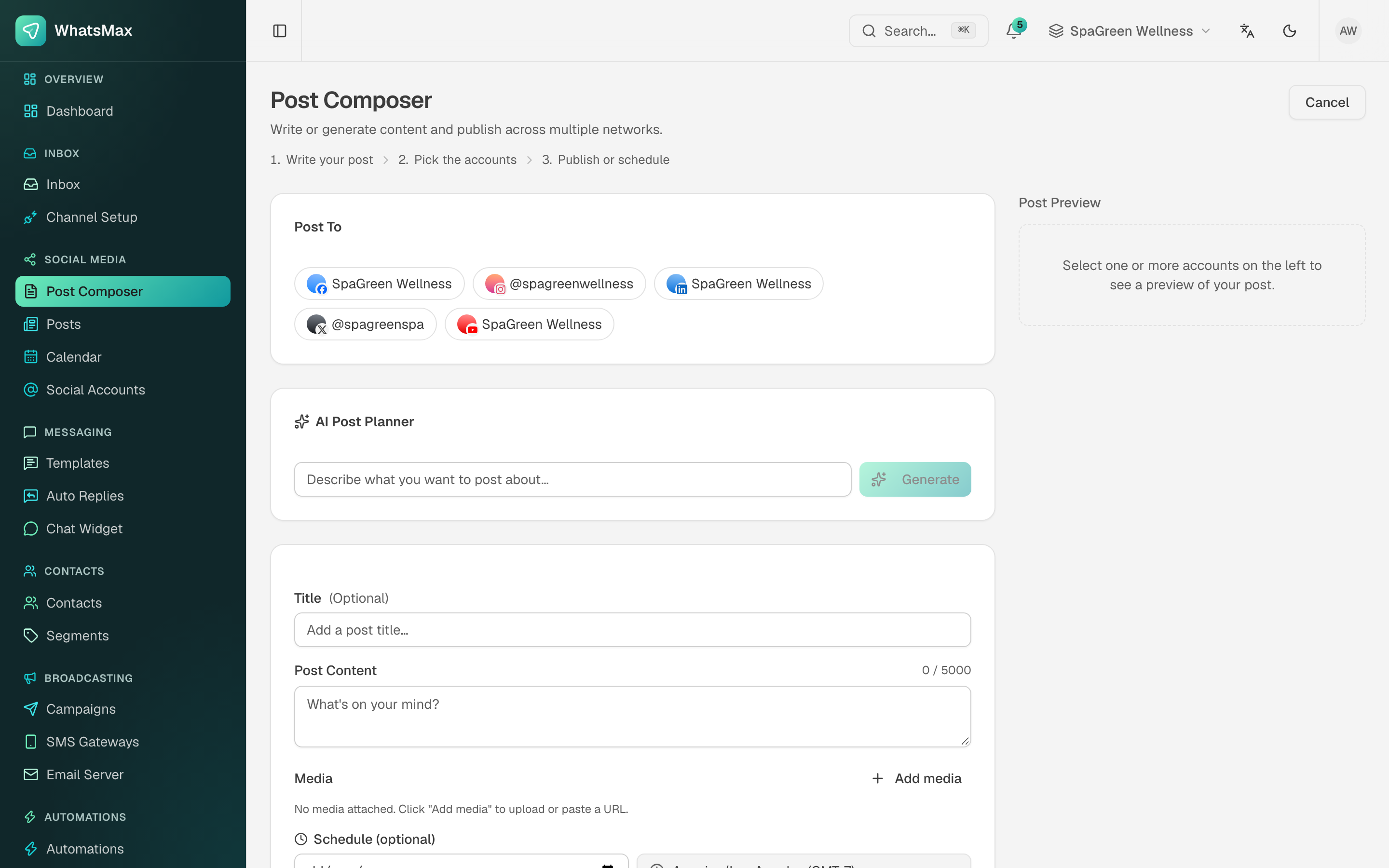 Pick the accounts, write (or generate) the post, attach media, schedule.
- Post To — tick one or more connected accounts. A single post can go to several networks at once, and the preview panel shows how it will look on each.
- AI Post Planner (optional) — describe what the post should be about and Generate writes a draft. It uses the workspace's AI provider; edit the result before publishing, always.
- Title (optional) and Post Content — the character counter reflects the strictest limit among the selected networks.
- Media — upload, paste a URL, or pick from the media library. TikTok and YouTube need video.
- Schedule — leave blank to publish immediately, or set a date and time. The timezone shown is the one from Account → Settings.
Posts and calendar
Social Media → Posts is the flat list of everything — drafts, scheduled, published and failed.
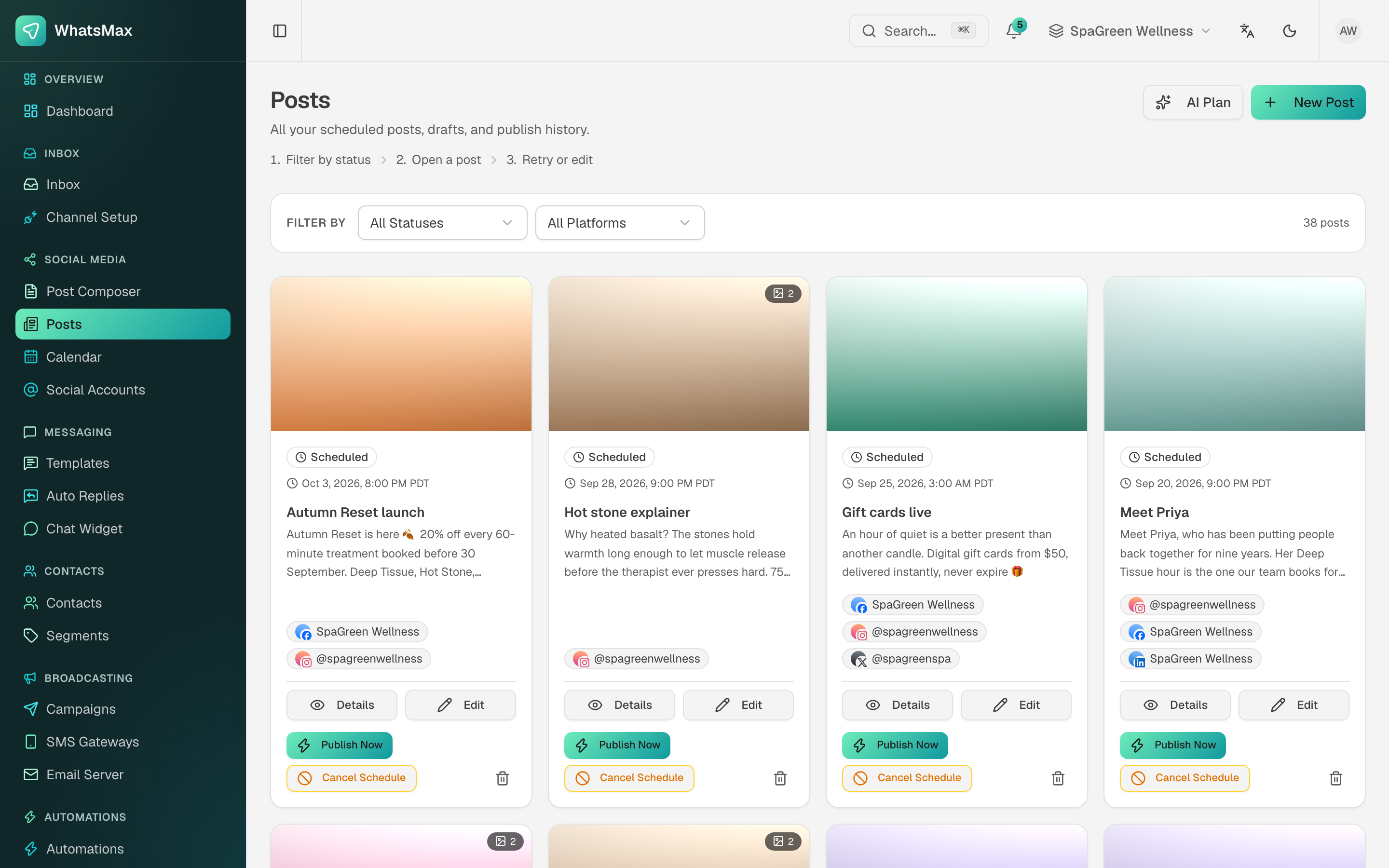 Scheduled posts with their target accounts and per-post actions.
Filter by status and platform. Each card offers Details, Edit, Publish Now, Cancel Schedule and delete. AI Plan generates a whole batch of post ideas at once rather than one at a time.
Social Media → Calendar is the same data in a month or week grid — the view to use when the question is "are we posting enough, and are we spreading it out?".
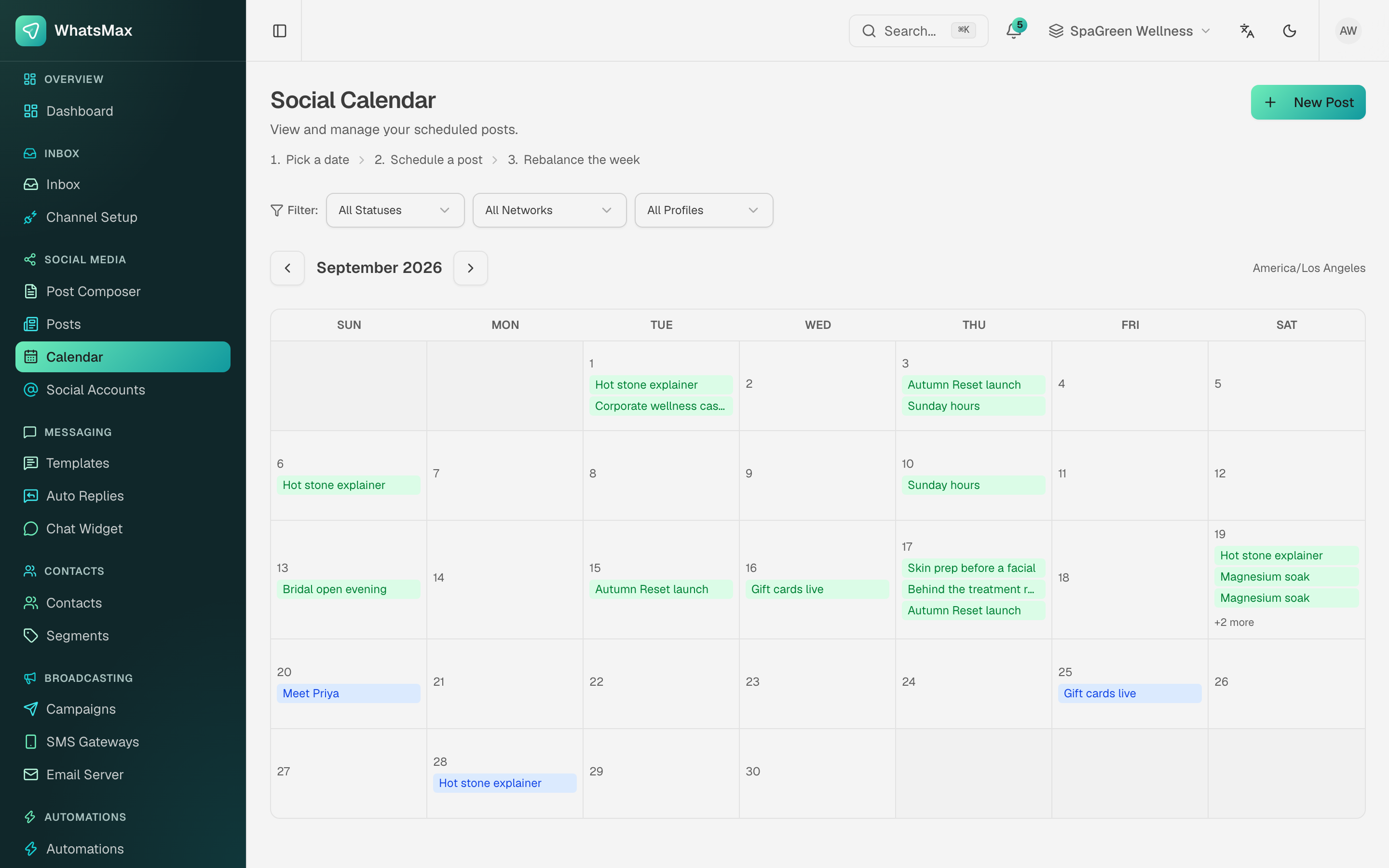 The content calendar.
Publishing and failures
Scheduled publishing is executed by the scheduler and worker processes. Nothing publishes if they are not running.
A post targeting four networks publishes to each independently: one failure does not block the others, and the failed target shows the network's own error message. By far the most common cause is an expired or revoked OAuth token — reconnect that account in Social Accounts, then use Publish Now on the failed post.
Results
Reports → Social aggregates published-post performance across networks. See Reports.
Reconnect before the long weekend
Networks expire tokens on their own schedule, usually 60 days. A quick look at Social Accounts before a campaign period is cheaper than discovering on Monday that nothing went out.