
Plans, Coupons & Tax Rates
Plans are your product. Everything a customer can and cannot do is decided here.
Plans
Clients & Billing → Plans.
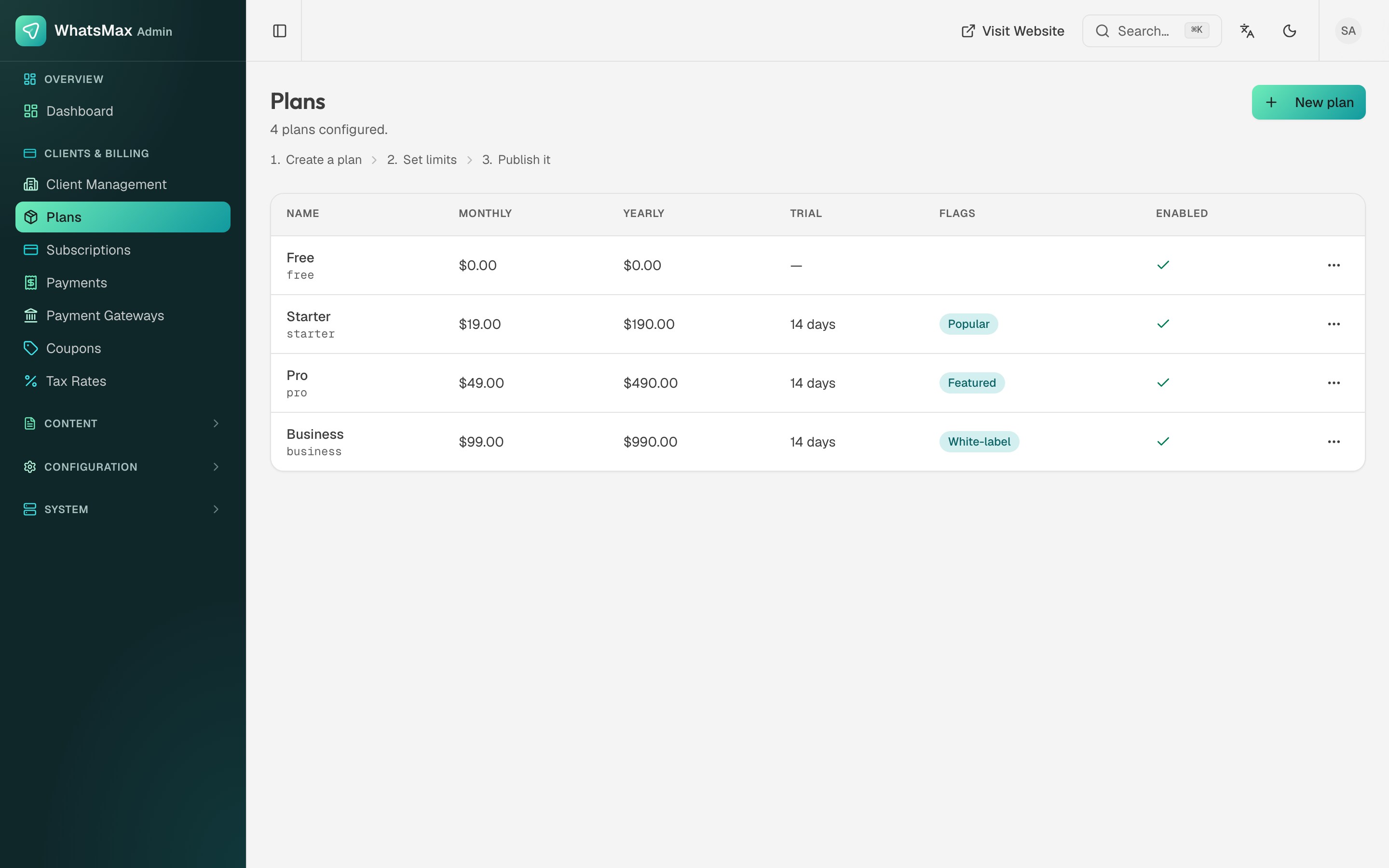 The seeded Free / Starter / Pro / Business tiers.
Each plan has:
| Field | Notes |
|---|---|
| Name and slug | The slug (starter, pro) is what the code and your checkout links use. Do not change it after customers are on it. |
| Monthly and yearly price | Yearly is usually ten months' worth — the discount is what drives annual sign-ups. |
| Trial days | 14 days on the paid tiers in the seed. A trial with no card is the highest-converting and the highest-abuse option; decide deliberately. |
| Flags | Popular and Featured control how the plan is highlighted on the pricing page. White-label unlocks white-label options for that tier. |
| Enabled | Disabled plans disappear from checkout. Existing subscribers stay on them — this is how you retire a tier without breaking anyone. |
| Limits | Contacts, workspaces, team seats, channels, media storage, AI usage, campaigns. These are enforced in the app; when a customer hits one, the app names the limit and offers the upgrade. |
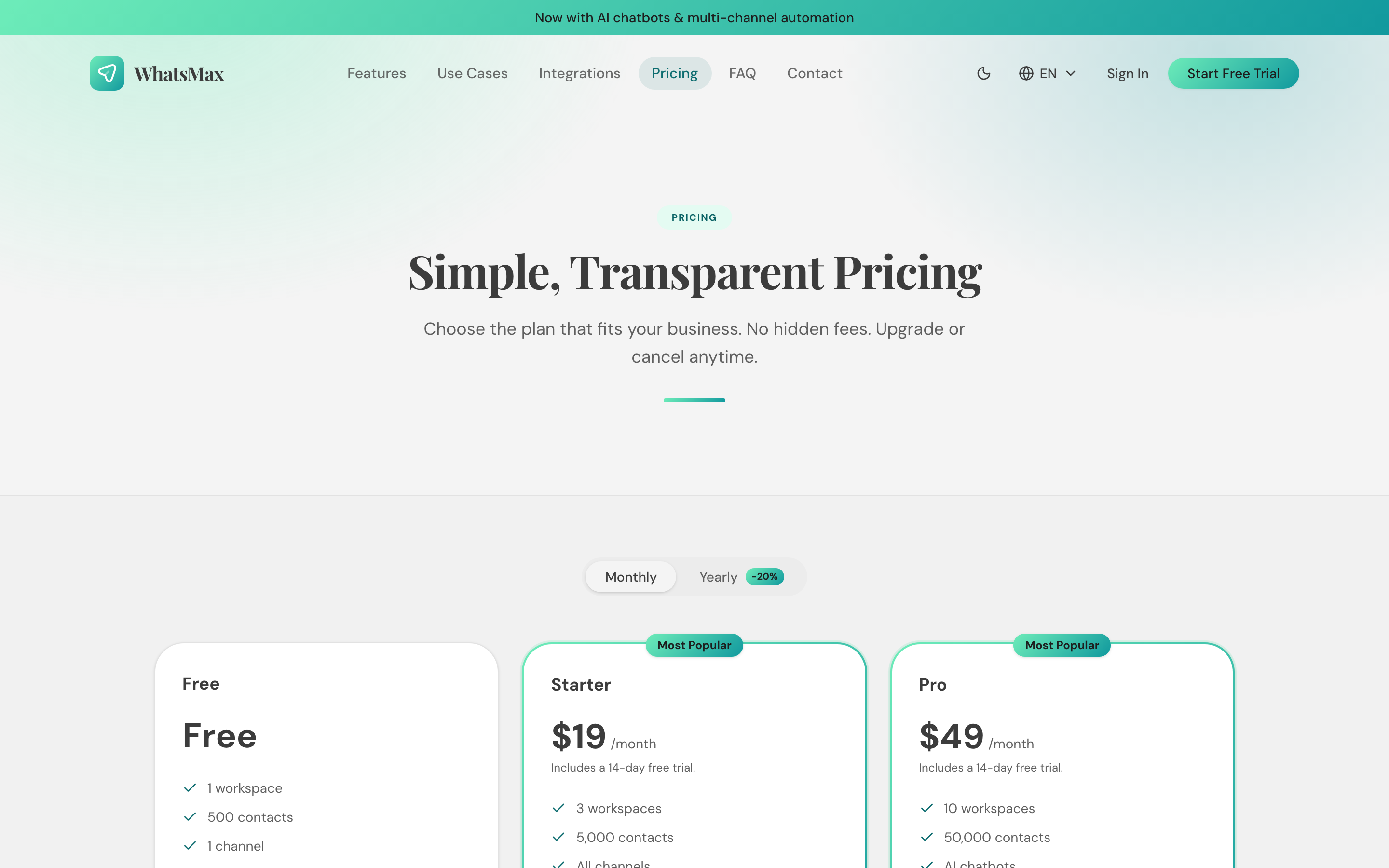 How the plans appear to a visitor.
The installer seeds four example plans. Treat them as a starting shape, not a recommendation — set your own prices and limits before you open registration.
Set AI limits before you launch
AI usage is the only limit that costs you real money per unit. A tier with unlimited AI and a $19 price is a tier that eventually loses money. See AI cost control.
Coupons
Clients & Billing → Coupons creates discount codes.
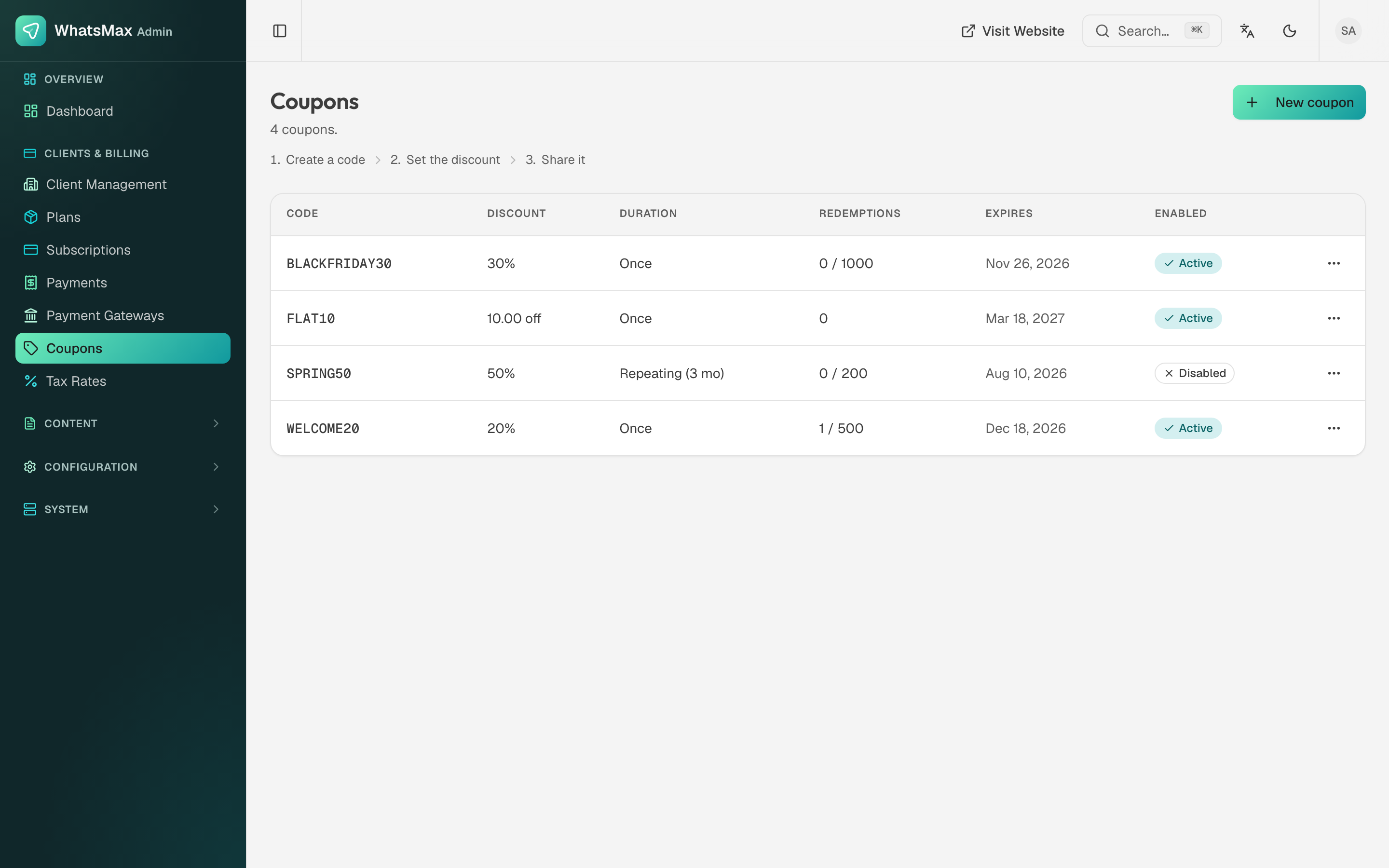 Discount codes with their type, value and usage limits.
- Type — percentage or fixed amount.
- Duration — once, for N months, or forever.
- Usage limits — total redemptions, and per-customer.
- Validity window — start and end dates.
- Plan restriction — limit a code to specific plans.
Customers enter the code at checkout; redemptions are visible on the coupon.
Tax rates
Clients & Billing → Tax Rates applies tax at checkout by region.
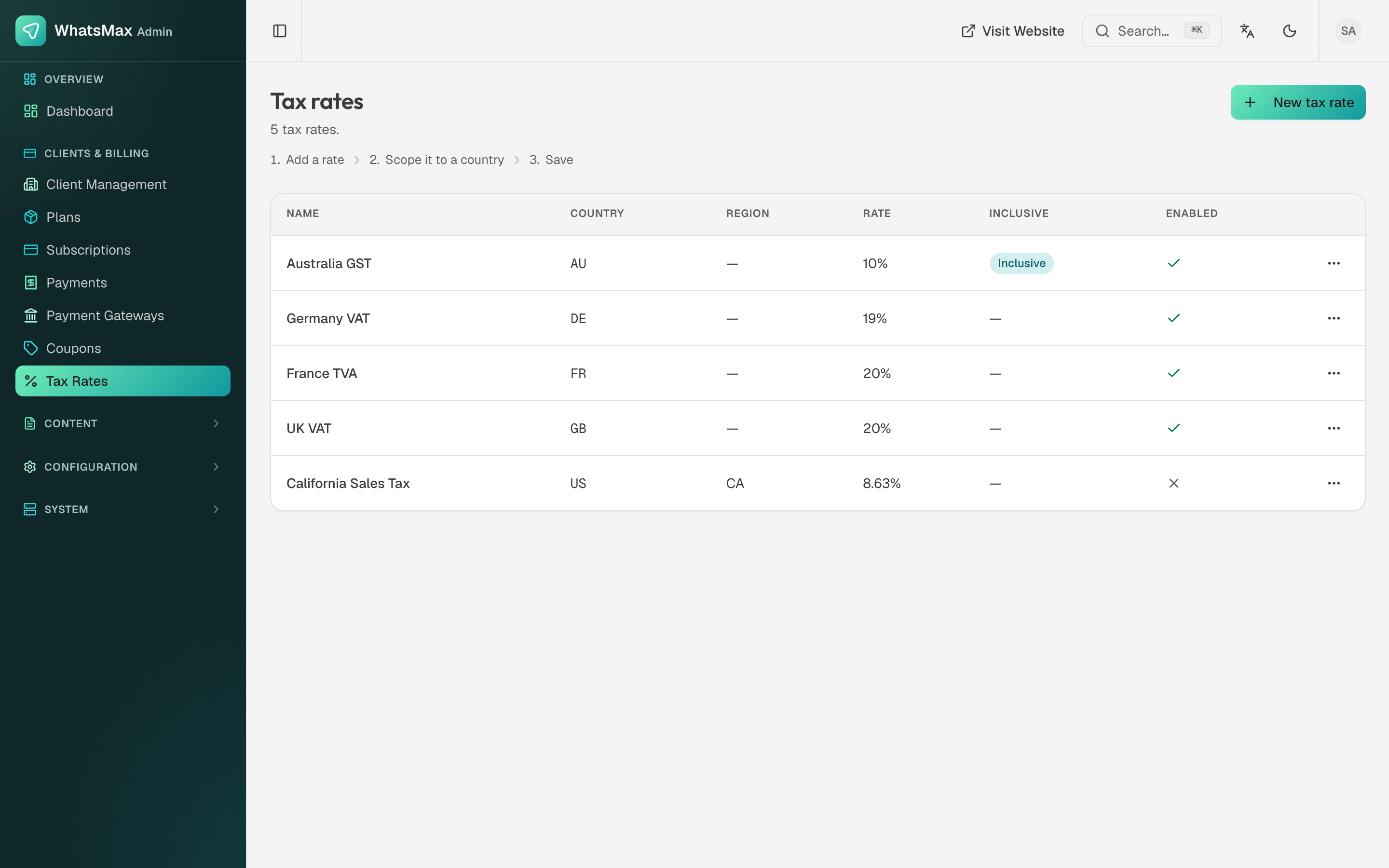 Region-based tax rates.
Each rate has a name (UK VAT, Australia GST), a country and optional region (so US / CA can differ from the rest of the US), a rate, and an inclusive flag — inclusive means the price already contains the tax rather than having it added at checkout. Rates can be enabled and disabled individually.
Tax is your responsibility
WhatsMax applies the rates you configure; it does not know your obligations. If you sell to consumers in the EU, UK or other VAT/GST jurisdictions and you would rather not track rates yourself, use a merchant-of-record gateway such as Paddle, which handles the tax side for you. See Payment Gateways.
Payment gateways
Credentials and test/live mode per gateway live in Clients & Billing → Payment Gateways. The full per-gateway setup, including the webhook URLs that make renewals work, is in Payment Gateways.
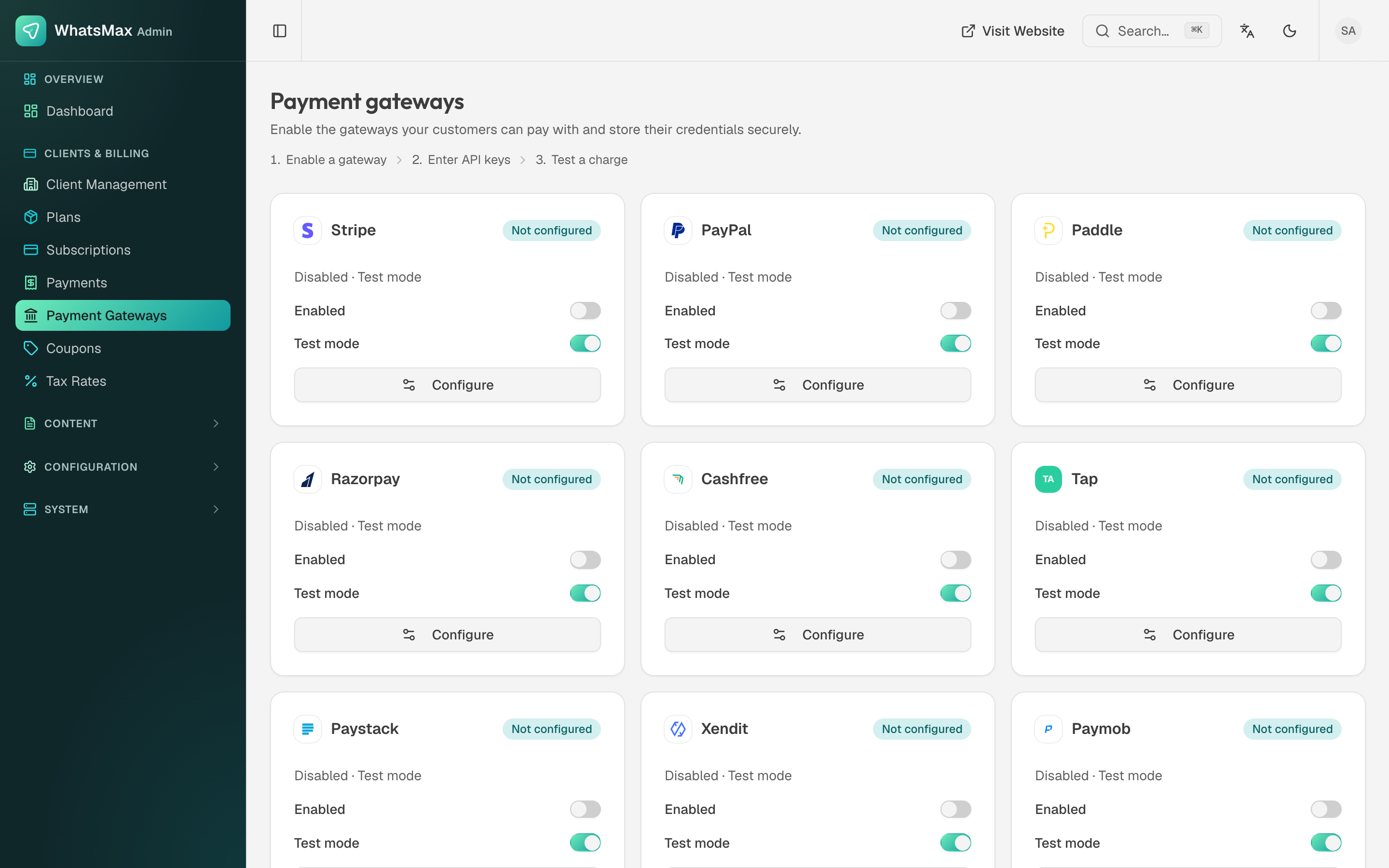 Gateway configuration — credentials are encrypted at rest.