
WeChat connects through an Official Account (公众号). Messages people send your Official Account arrive in your inbox, and agents — or an AI chatbot — answer from the same composer they use for every other channel.
Setup is two-sided: you paste your AppID and AppSecret here, and you paste a callback URL and Token back into the WeChat console. Neither half works alone.
What the channel can do
| Setup | AppID + AppSecret, then a callback URL in the WeChat console |
| Approval needed | A verified Service Account (认证服务号) for replies |
| Reply window | 48 hours from the customer's last message |
| Message templates | Not used by this channel |
| Media | Images, voice notes, video received and sent; files sent as a link |
| Location | Received, and sent as a map link |
| Group chats | Not applicable |
| Campaigns | Not supported — see Limits |
| AI chatbot | Supported |
Requirements
- A WeChat Official Account, ideally a verified Service Account. WeChat only allows customer-service replies and follower profiles on verified accounts; an unverified or Subscription Account can receive messages but WeChat will refuse the reply with "not authorised for customer-service messages".
- A callback URL WeChat can reach on port 80 or 443 — WeChat does not accept any other port. In practice this means the same public HTTPS
APP_URLthe rest of the app runs on. - This server's public IP address on the Official Account's IP whitelist (Settings → Security). Without it WeChat refuses to issue an access token.
- A running queue worker — inbound messages are processed on the
inboundqueue. See Production deployment.
Getting the credentials
- Sign in to the Official Account console at mp.weixin.qq.com.
- Go to Settings & Development → Basic configuration (设置与开发 → 基本配置).
- Copy the AppID.
- Next to AppSecret, press Reset if you do not already have it — WeChat shows a secret only once, at the moment it is created.
- While you are on that page, add this server's IP address under Settings → Security → IP whitelist.
Resetting the AppSecret
Resetting it invalidates the old one immediately, including for any other tool using the same Official Account. Reconnect here afterwards.
Connecting it
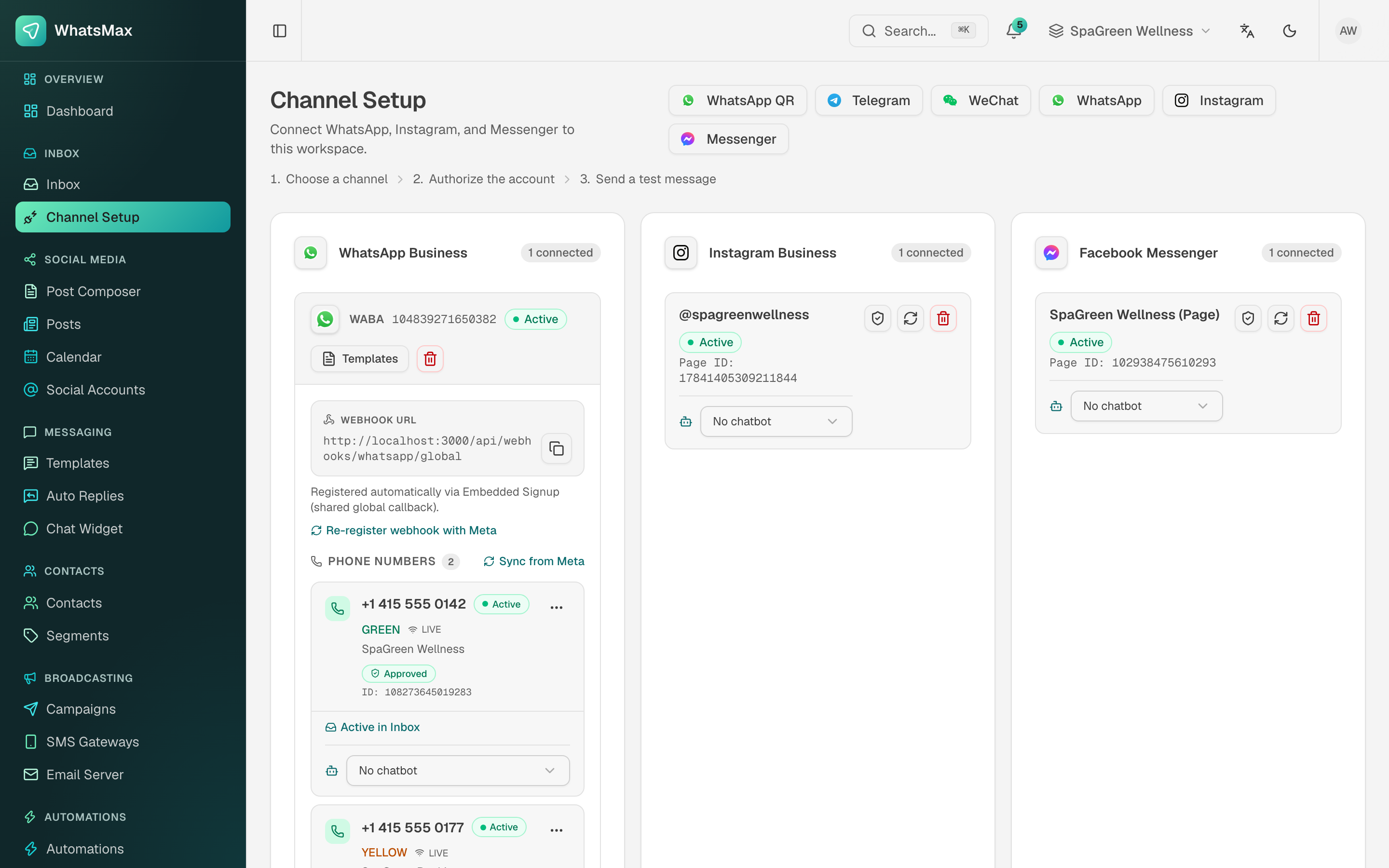 Channel Setup — WeChat sits alongside the other channels.
- Inbox → Channel Setup → WeChat.
- Paste the AppID and AppSecret. Leave EncodingAESKey empty unless you intend to use safe mode (see below), and optionally give the account a name for your inbox.
- Press Connect. The credentials are checked against WeChat straight away, so a wrong secret or a missing IP whitelist entry is reported here rather than on the first customer message.
- The dialog now shows a callback URL and a Token. Keep it open.
- Back in the WeChat console, open Basic configuration → Server configuration (服务器配置) and press Enable:
- Server address (URL) — the callback URL from step 4.
- Token — the Token from step 4.
- Message encryption mode — Plain (明文模式), unless you chose safe mode.
- Press Submit. WeChat immediately calls the URL to verify it.
- The card in Channel Setup turns Active once that verification lands.
Until WeChat verifies the URL the account stays Inactive and no message arrives. The URL and Token stay visible on the card, so you can finish the console side later without reconnecting.
Safe mode (安全模式)
If your Official Account is configured for safe mode, WeChat encrypts every callback. Paste the console's 43-character EncodingAESKey into the connect dialog and select the matching mode in the console. Both modes are accepted on the same callback URL, so switching later only means reconnecting with (or without) the key.
Sending and receiving
A customer who messages your Official Account becomes a contact keyed on their OpenID, their thread stays on one conversation, and their WeChat nickname and avatar are filled in when your account is allowed to read them.
Incoming images, voice notes and video are downloaded and re-hosted on your own storage, because WeChat deletes media after three days. Voice notes also carry WeChat's own speech recognition when the Official Account has it enabled — that text is what an AI chatbot answers.
Outgoing media is uploaded to WeChat first; WeChat has no send-by-URL form. Documents go out as a tappable link card, since the customer-service API has no file message type, and an outbound location is sent as a map link.
Adding an AI chatbot
- Create and enable a chatbot under AI → Chatbots.
- On the WeChat card in Channel Setup, pick it from the chatbot dropdown.
From then on it answers inbound messages by itself, using the same knowledge base, handover phrases and away rules as every other channel. A conversation is handed to a human when the customer asks for one, or when an agent replies.
A new follower's subscribe event is recorded in the thread but is not treated as something the customer said: a welcome auto-reply rule fires for it, while the chatbot waits for an actual message.
Limits
- 48-hour reply window. WeChat only delivers a customer-service message within 48 hours of the customer's last message. After that the reply fails with a message saying so — there is no template to reopen the window, unlike WhatsApp. This is also why WeChat is not available as a campaign channel.
- You cannot start a conversation. The customer messages you first.
- One destination per Official Account. WeChat delivers to a single server URL, so an Official Account cannot be connected to two workspaces, and configuring the URL here takes it over from anything else that was using it.
- Verified account required for replies. Receiving works on any Official Account; replying does not.
Troubleshooting
Use the shield button on the WeChat card to run a check. It reports the credentials, whether WeChat has ever verified the callback URL, the encryption mode, the queue worker, and when the last inbound message arrived.
"WeChat rejected the AppSecret" It was reset in the console. Copy the current one and reconnect.
"This server's IP address is not on the Official Account's IP whitelist" Add the server's public IP under Settings → Security in the console. On a host with several outbound addresses, add all of them.
"WeChat has never verified this callback URL" The console side is not finished. Paste the URL and Token from the card into Server configuration and press Submit. WeChat's own error there names the reason: a mismatched Token, a URL it cannot reach, or a non-standard port.
"WeChat only delivers a reply within 48 hours" The window closed. Nothing can reopen it; the customer has to write again.
"This Official Account is not authorised for customer-service messages" The account is not a verified Service Account. Messages still arrive, but WeChat will not carry the reply.
Messages are connected but never arrive Check that the callback URL is reachable on port 80 or 443, that the health check shows the URL as verified, and that a queue worker is running.