
Lead Scraper & Pipeline
Contacts are people who already talk to the business. Leads are businesses that do not yet — prospects your customers go out and find. Two screens cover the whole flow: a scraper that discovers them, and a kanban board that works them.
Lead Scraper
Leads → Lead Scraper searches Google Places for businesses by keyword and location and turns the results into a working list.
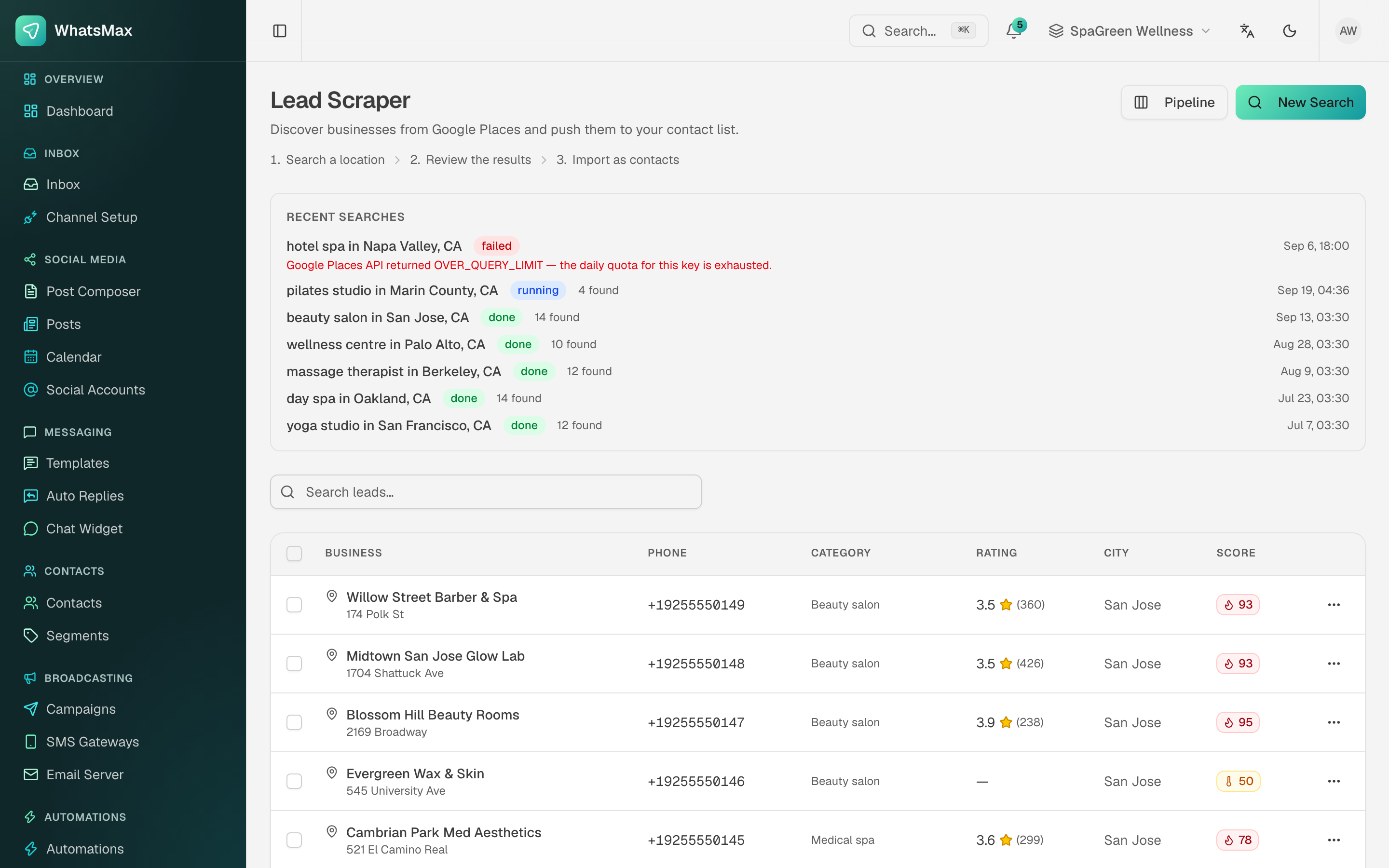 Search history on top, discovered businesses below — each with a lead score.
- Click New Search and enter a keyword and location — "yoga studio in San Francisco, CA".
- The search runs in the background; the card shows
running, thendonewith a result count. - Results list the business name, phone, category, rating, review count and city, plus a score (see below).
- Select the ones worth pursuing and import as contacts, or push them onto the pipeline board.
Google Places API quota
The scraper uses the Google Places API through the platform's key. A search that ends in failed with OVER_QUERY_LIMIT means the daily quota for that key is exhausted — it is a billing/quota issue on the Google side, not a WhatsMax error. Raise the quota in Google Cloud Console or wait for the daily reset.
Lead scoring
Each lead gets a 0–100 score from the signals the scraper can see — rating, review volume, whether a phone number and website exist, category match. It is a triage aid, not a verdict: sort by it so the strongest prospects are worked first. The Scoring button on the pipeline lets you inspect and adjust how the score is weighted.
Lead Pipeline
Leads → Pipeline is a kanban board of the deals in flight.
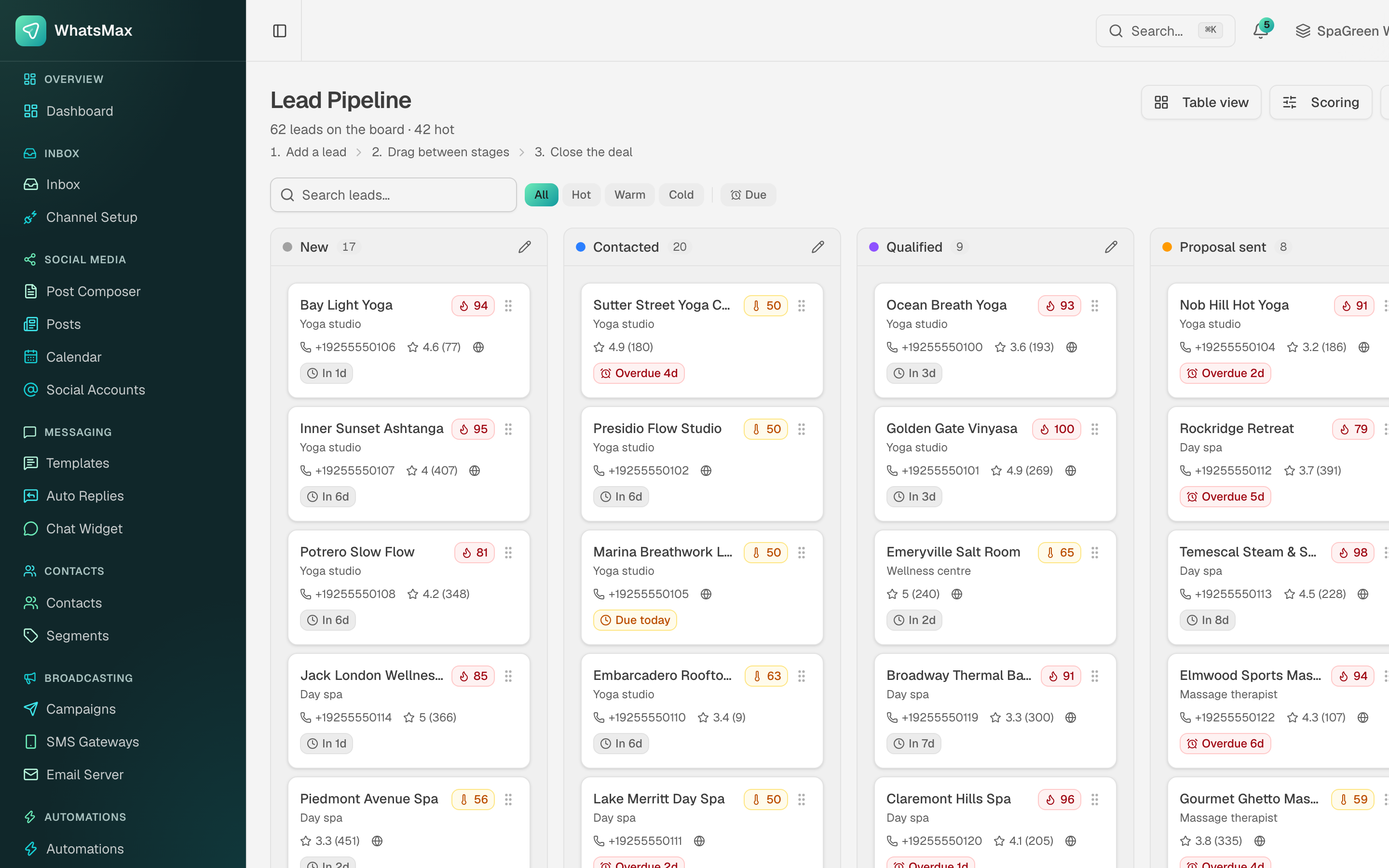 Stages across the top, one card per lead, follow-up dates in colour.
- Stages —
New,Contacted,Qualified,Proposal sentand onward. Rename them with the pencil icon on any column header to match how the business actually sells. - Drag a card to move a lead between stages.
- Temperature filters —
Hot,Warm,Cold(derived from the score), plus Due to show only leads with a follow-up due. - Follow-up dates — each card shows
In 3d,Due todayorOverdue 4dso nothing quietly rots at the bottom of a column. - Table view switches the same data into a sortable list when the board gets big.
Turning a lead into a customer
When a lead replies, convert it to a contact. From that moment it behaves like any other contact: it can be messaged from the inbox, added to a segment, and targeted by campaigns and automations.
Pair the pipeline with automations
An automation triggered on "contact created with tag lead" can send the first outreach message, wait, and notify the salesperson if there is no reply — so the board only ever shows leads that actually need a human.