
Realtime Updates with Pusher
With Pusher Channels configured, the inbox updates instantly — new messages, assignment changes and notifications appear without a page refresh. Without it, WhatsMax still works; updates just rely on refresh/polling.
1. Create a Pusher app
- Sign up at pusher.com and create a Channels app.
- Pick the cluster closest to your server (e.g.
eu,mt1,ap2). - Open the App Keys page — you need
app_id,key,secretandcluster.
The free tier (200k messages/day, 100 concurrent connections) is enough for small deployments.
2. Configure WhatsMax
Fill the Pusher block in .env:
PUSHER_APP_ID=123456
PUSHER_APP_KEY=abcdef123456
PUSHER_APP_SECRET=secret123
PUSHER_APP_CLUSTER=eu

NEXT_PUBLIC_PUSHER_KEY=abcdef123456     # same as PUSHER_APP_KEY
NEXT_PUBLIC_PUSHER_CLUSTER=eu           # same as PUSHER_APP_CLUSTER
NEXT_PUBLIC_* values are baked in at build time
After changing them you must rebuild, not just restart:
npm run build && pm2 restart whatsmax-web
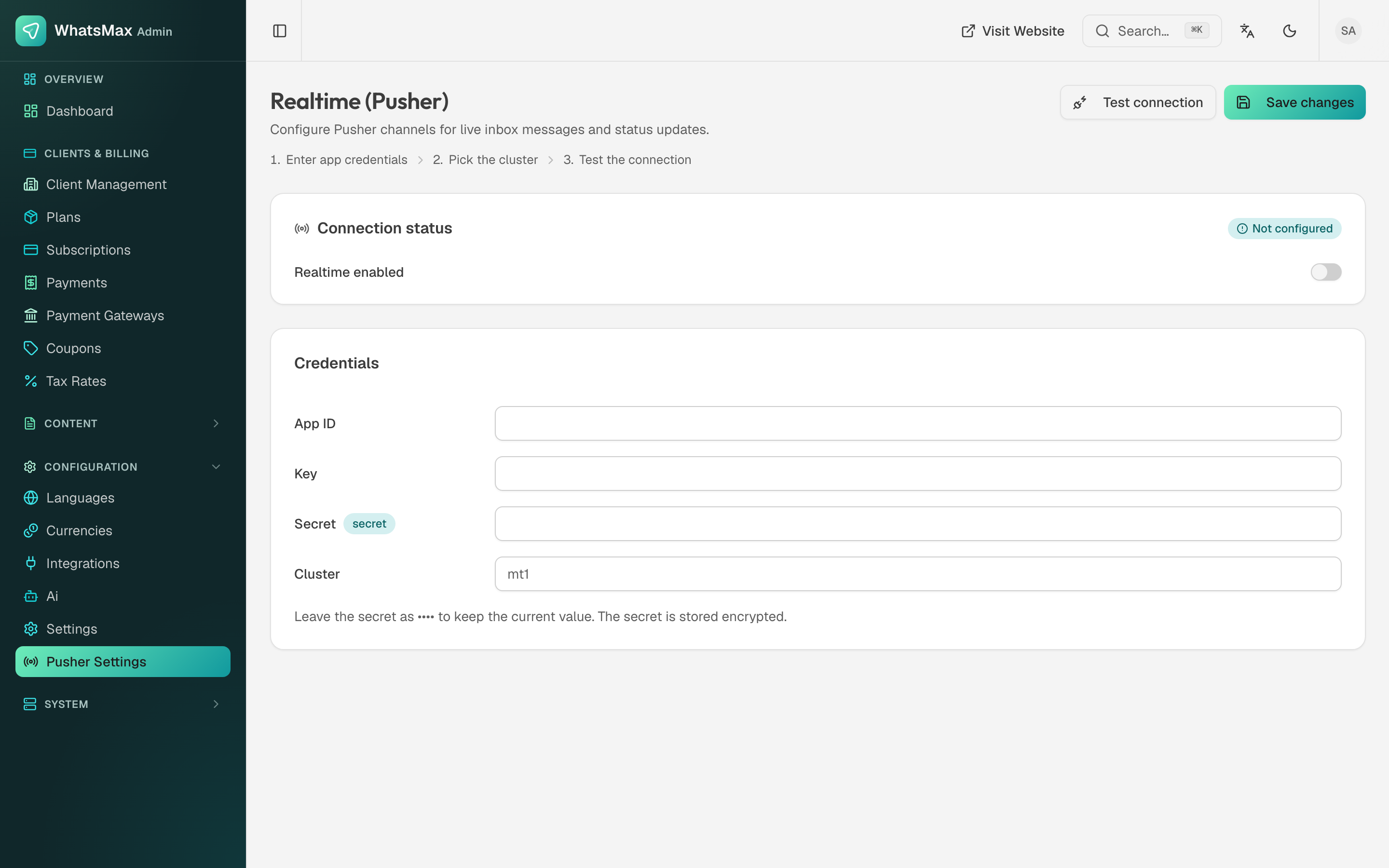 Realtime credentials in the admin panel.
Server-side values can also be managed later from Admin → Configuration → Pusher Settings.
3. Verify
- Open the same workspace inbox in two browser windows.
- Send an inbound test message (e.g. WhatsApp yourself).
- Both windows should show the message within a second, no refresh.
You can also watch events arrive live in the Pusher dashboard's Debug console.
Troubleshooting
| Symptom | Fix |
|---|---|
| No realtime, no errors | NEXT_PUBLIC_* vars empty at build time — set them and rebuild. |
| Console WebSocket errors | Wrong cluster, or key/secret mismatch between the four values. |
| Works locally, not in production | Nginx missing the Upgrade/Connection headers — see Nginx. |