
AI Chatbots & Knowledge Bases
AI chatbots answer customers automatically in the inbox, grounded in the workspace's own content rather than in whatever the model happens to believe. Two pieces work together:
- Knowledge bases — the content the bot is allowed to know.
- Chatbots — the bot itself: provider, model, persona, and which knowledge bases it may use.
1. Build a knowledge base
AI → Knowledge Bases → New Knowledge Base.
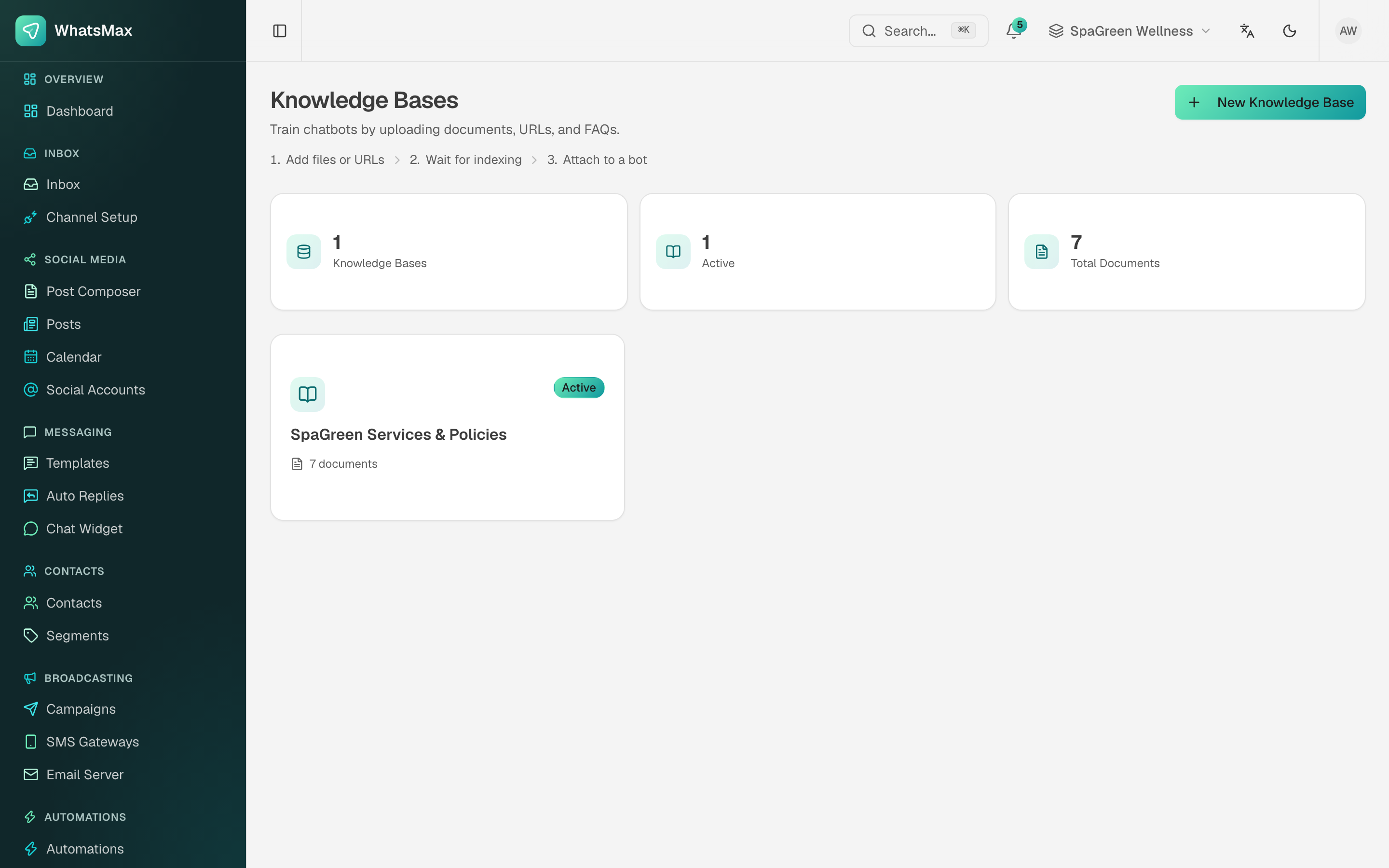 Knowledge bases with their document counts.
Add material three ways: upload documents, paste text, or point at a URL. Typical contents are the price list, the service menu, the refund and cancellation policy, opening hours and the top twenty support answers.
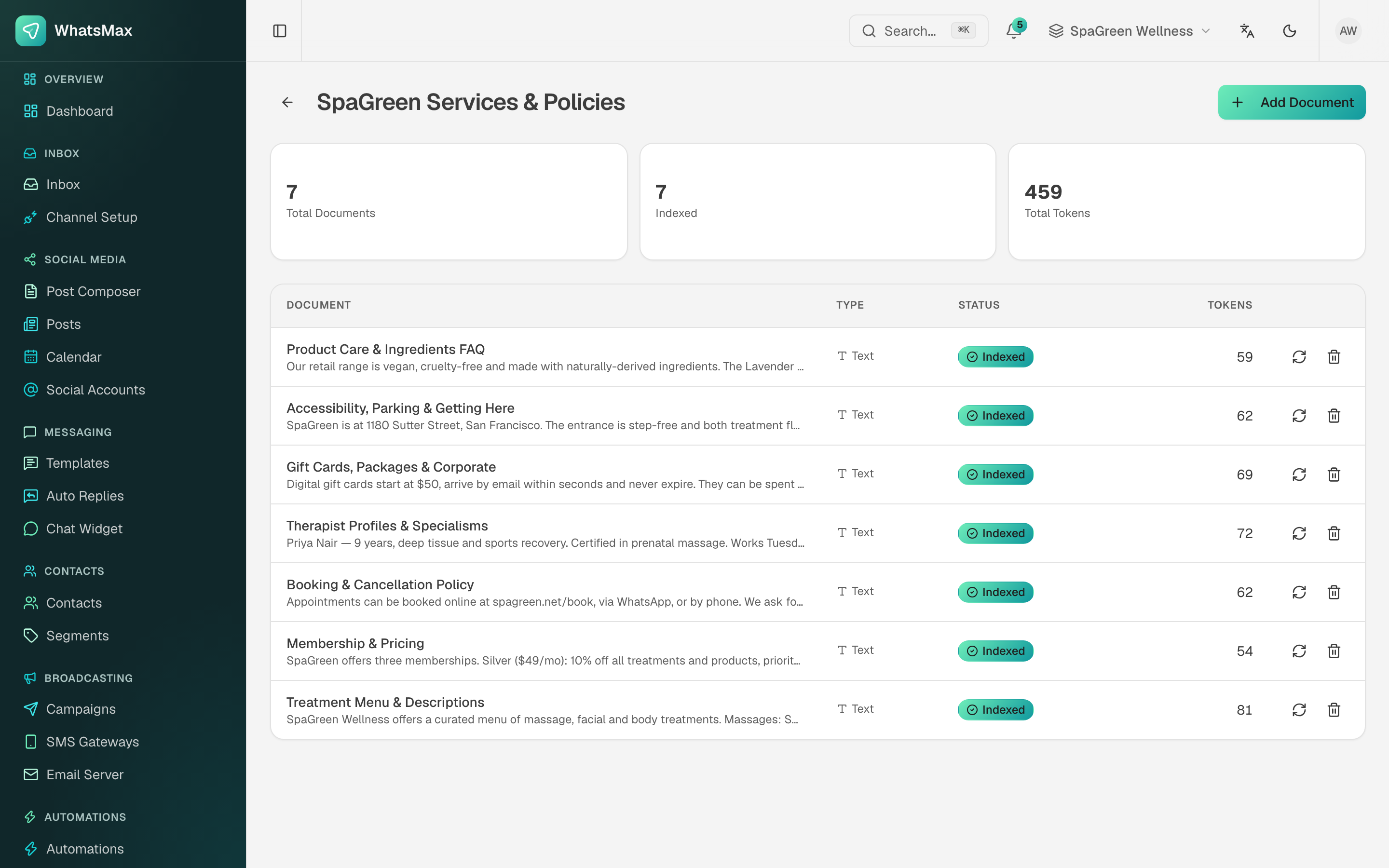 Inside a knowledge base — each document with its type, indexing status and token count.
The header counts total documents, how many are indexed, and the total tokens they occupy. Each row can be re-indexed (after you edit the source) or deleted.
WhatsMax chunks and embeds everything in the background — the worker process does this, so a stopped worker means documents sit unindexed forever. Each document shows its status; wait for indexing to finish before expecting the bot to know anything from it.
This is retrieval-augmented generation (RAG): at answer time the bot retrieves the relevant chunks and answers from them, which is why it can quote a real price instead of inventing one.
2. Create the chatbot
AI → Chatbots → New Chatbot.
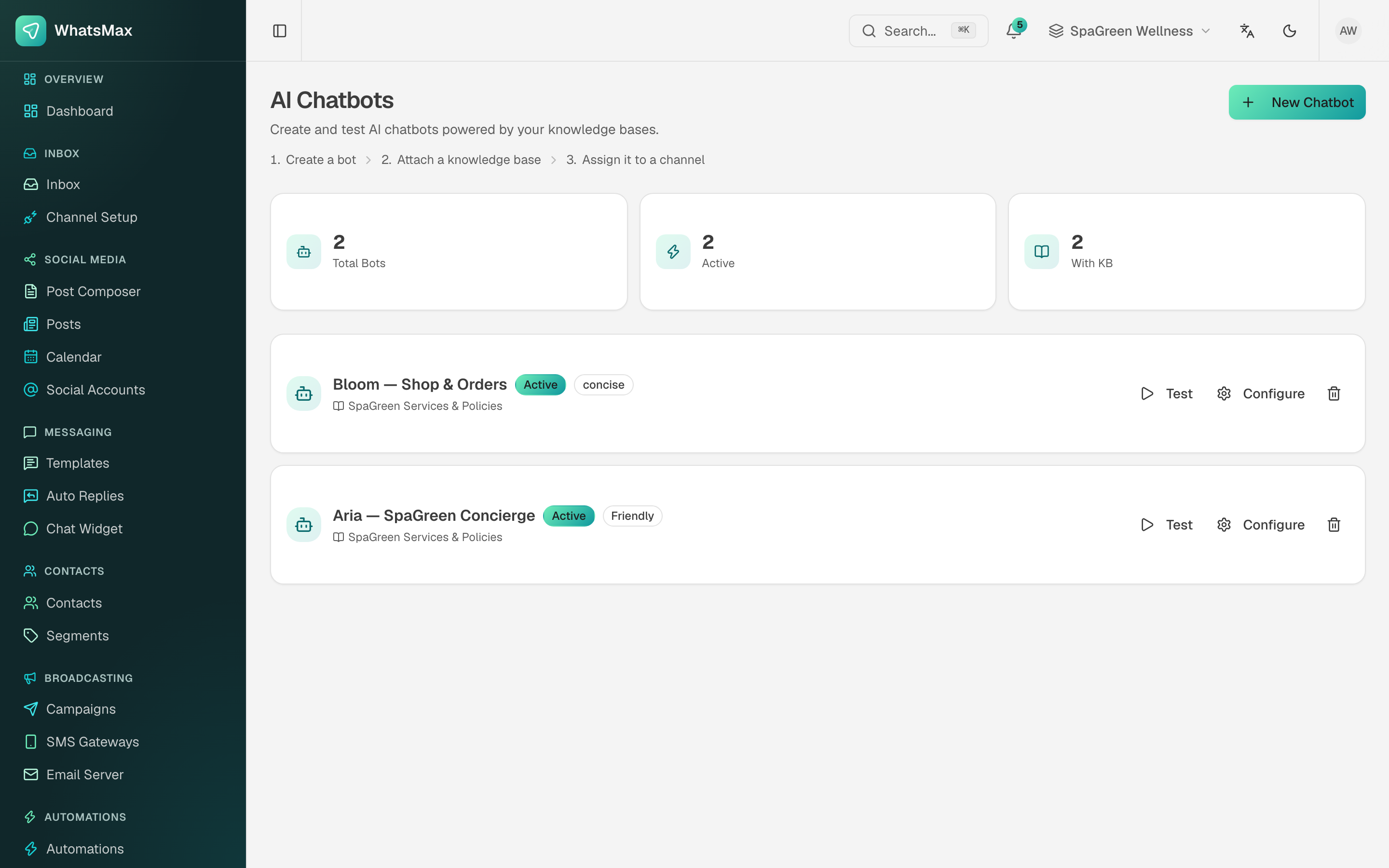 Each bot shows its status, its tone and the knowledge base behind it.
- Provider and model — from the keys in AI Providers. Start with a small, cheap model; most support answering does not need a frontier model.
- Persona and instructions — who the bot is, its tone (the card shows tags like
Friendlyorconcise), what it must never do, and when to hand over to a human. - Knowledge bases — attach one or more.
- Test — the built-in test chat. Ask it the ten questions your customers actually ask, including two it should refuse.
Write the handover rule explicitly
"If the customer asks for a refund, complains about a treatment, or asks anything about medical suitability, say you will fetch a colleague and stop answering." A bot without that sentence will improvise, and improvising is exactly what you do not want on those topics.
3. Deploy it
Attach the bot to channels — a WhatsApp number, a Messenger page, an Instagram account, a Telegram or WeChat channel. From then on new inbound conversations on those channels get bot replies automatically.
Human handover
The AI handover control on each conversation switches it between Bot and Human. An agent taking a thread silences the bot for that thread; handing it back resumes it. See Inbox.
Monitoring and cost
- Reports → AI — runs, tokens and cost for the workspace.
- Admin → AI Dashboard — the same across every tenant, which is what you watch as the platform owner.
- Cap AI usage per tier in Admin → Plans so a single enthusiastic customer cannot outspend their subscription.
Answer quality problems are usually knowledge problems. When a bot gets something wrong, first check whether the answer exists in a knowledge base at all — adding the missing document beats another round of prompt tweaking.
API access
Chatbots are reachable over the REST API (POST /api/v1/ai/chatbots/{id}/chat), so the same bot can power an external site, app or kiosk. See Developer API.