
Campaigns & Broadcasting
A campaign sends one message to many contacts over WhatsApp, SMS or email. Broadcasting → Campaigns.
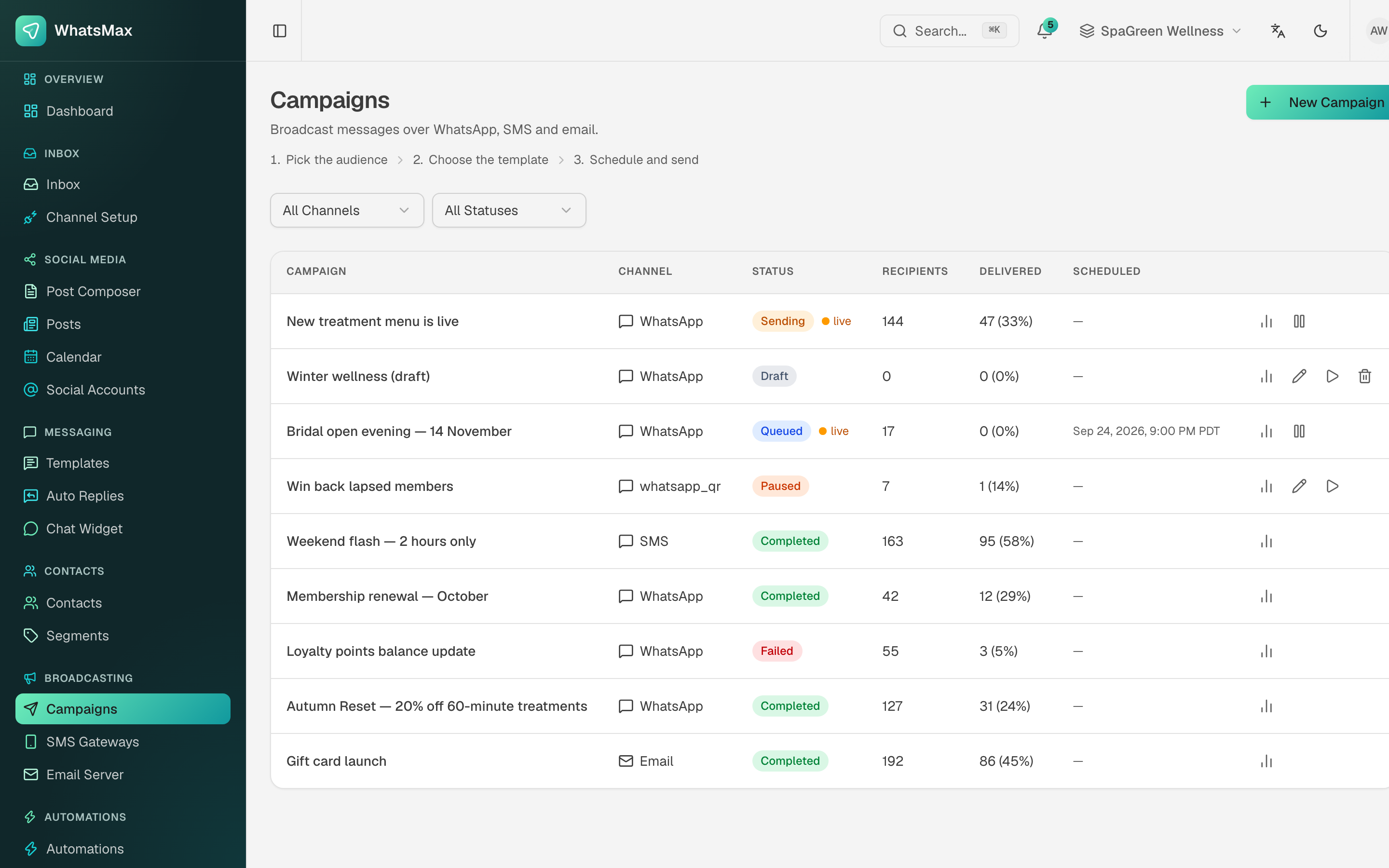 Every campaign with its channel, status, recipient count and delivery rate.
Before the first campaign
| Channel | You need |
|---|---|
| A connected number and an approved template — bulk sends must use templates. See WhatsApp and Templates. | |
| SMS | A configured SMS gateway. |
| A configured workspace email server. |
And in all three cases: contacts who have opted in on that channel.
Building one
New Campaign walks through five steps, with a live preview and an "at a glance" summary beside them the whole way.
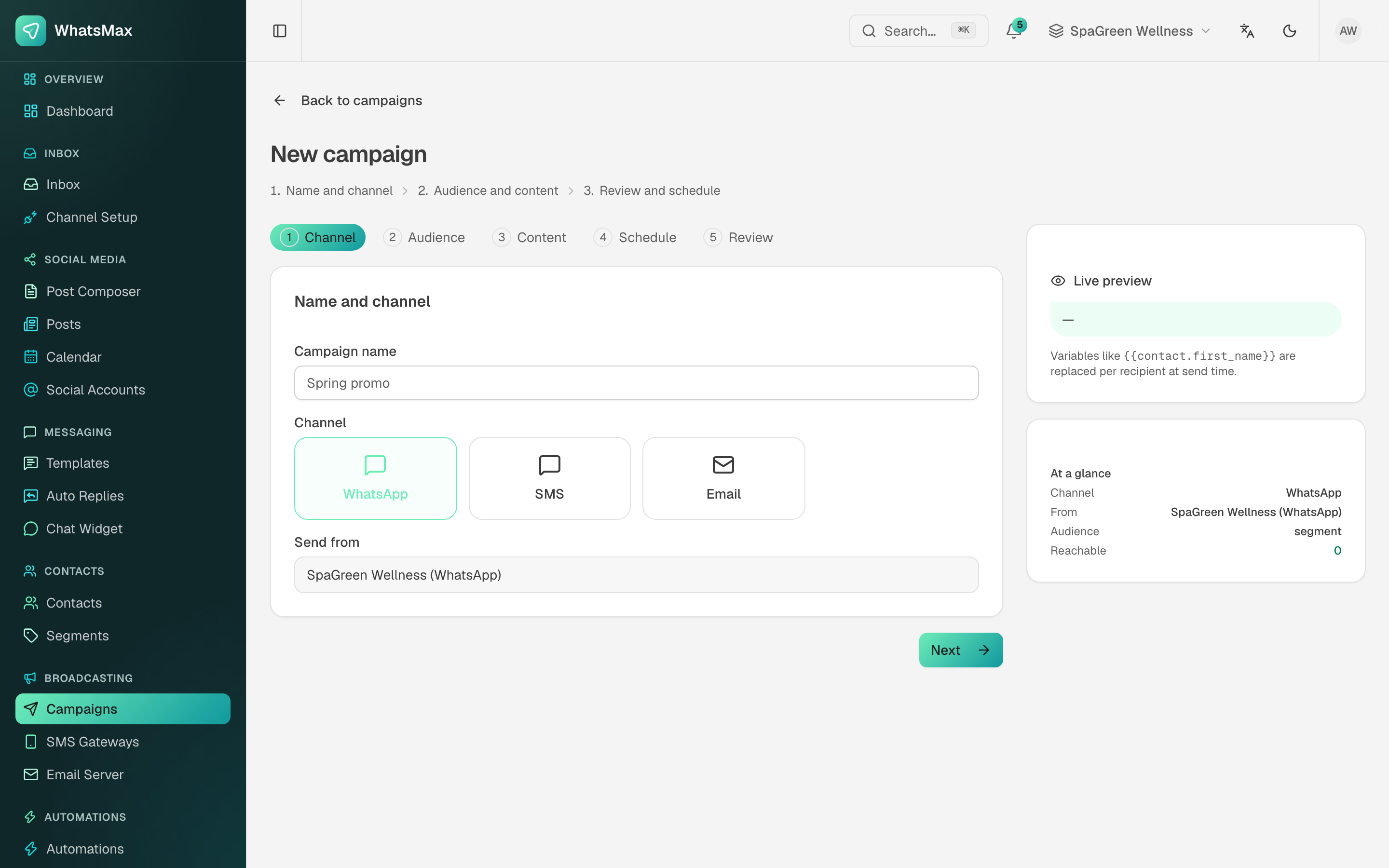 Step 1 — name, channel and the number or sender it goes out from.
- Channel — name the campaign, pick WhatsApp, SMS or email, and choose which connected number or sender it goes from.
- Audience — a saved segment or a direct contact filter. The summary shows how many are actually reachable (opted in, with a usable address on that channel) — this is the number that matters, not the segment size.
- Content — the approved template plus its variable mapping, or the SMS text, or the email subject and body. Variables like
{{contact.first_name}}are replaced per recipient at send time, and the preview shows the result. - Schedule — send now, or at a date and time. Scheduled times use the sender's timezone from Account → Settings.
- Review — the last look before it goes out.
Test before you launch
Send to a two-person segment of your own numbers first. A variable mapped to the wrong column is obvious in a test and expensive in a broadcast.
Statuses
| Status | Meaning |
|---|---|
| Draft | Not launched. Editable. |
| Queued | Handed to the queue, waiting for its scheduled time or its turn. |
| Sending | The worker is pushing messages out right now (live in the list). |
| Paused | You stopped it mid-flight. Resume picks up where it left off. |
| Completed | Every recipient has been attempted. |
| Failed | The campaign itself could not run — bad credentials, expired token, no reachable recipients. |
A campaign that sits in Queued forever almost always means the worker or scheduler process is not running. See Troubleshooting.
Results
The list shows delivered counts and rates inline; the chart icon opens the full report. Reports → Campaigns has the funnel — queued → sent → delivered → read (WhatsApp) or opened (email) — plus failures with their reasons. SMS delivery states need the gateway's delivery-report webhook. See Reports.
Advice worth passing to your users
- Only message opted-in contacts. WhatsApp punishes high block rates by throttling or banning the number, and it is the customer's number, not yours.
- Send in the recipient's daytime. Schedule rather than clicking send at midnight.
- Segment before blasting. A relevant message to 200 people beats an irrelevant one to 2,000, in both revenue and block rate.
- Watch the first few hundred deliveries before walking away.