
Payment Gateways
Payment gateways let your customers pay for subscription plans. Configure them in Admin → Clients & Billing → Payment Gateways — enable only the ones you have accounts for; customers see enabled gateways at checkout.
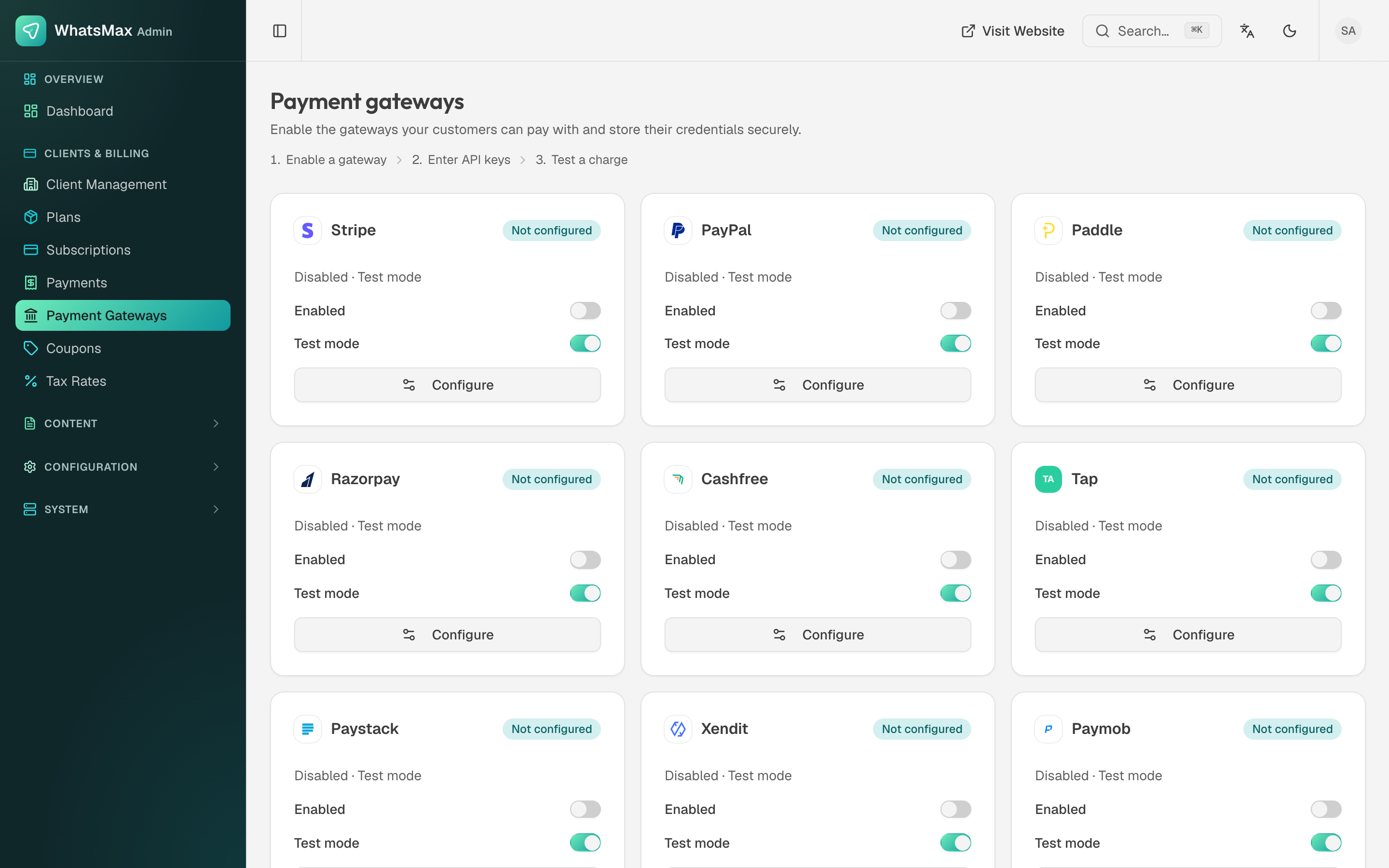 Gateway configuration — credentials are stored encrypted.
Supported gateways
| Gateway | Best for | Webhook needed |
|---|---|---|
| Stripe | Global cards, wallets | Yes |
| PayPal | Global PayPal balance/cards | Yes |
| Paddle | SaaS merchant-of-record (handles VAT) | Yes |
| Razorpay | India | Yes |
| Paystack | Africa | Yes |
| Mollie | Europe | Yes |
| Square | US/CA/UK/AU | Yes |
| Mercado Pago | Latin America | Yes |
| Cashfree | India | Yes |
| Xendit | Southeast Asia | Yes |
| Tap | Middle East | Yes |
| Paymob | Egypt/MENA | Yes |
| MyFatoorah | Gulf region | Yes |
Common setup pattern
Every gateway follows the same three steps:
Credentials — copy the API keys from the gateway's dashboard into the gateway's card in Admin → Payment Gateways. Each gateway has a test/sandbox mode toggle — start there.
Webhook — register WhatsMax's webhook URL in the gateway dashboard so payment events (successful charge, failed renewal, refund) reach the platform:
https://your-domain/api/webhooks/{gateway}Replace
{gateway}with the gateway key shown on its configuration card (e.g.stripe,paypal,razorpay).Test checkout — register a test customer account, subscribe to a paid plan with the gateway's test cards, and confirm the subscription shows as active in Admin → Subscriptions and the payment in Admin → Payments.
Stripe example (end to end)
- In the Stripe dashboard → Developers → API keys, copy the Publishable key and Secret key (test mode first).
- Paste both into the Stripe card in Admin → Payment Gateways and enable it.
- In Stripe → Developers → Webhooks → Add endpoint, set the URL to
https://your-domain/api/webhooks/stripeand subscribe to payment/subscription events (checkout.session.completed,invoice.paid,invoice.payment_failed,customer.subscription.updated,customer.subscription.deleted). - Copy the webhook Signing secret into the Stripe gateway card.
- Run a test subscription with card
4242 4242 4242 4242. - When everything works, repeat with live keys and switch off test mode.
Renewals, failures and refunds
- Subscription renewals are driven by gateway webhooks; the scheduler also runs periodic reconciliation. Keep both the worker and scheduler processes running.
- Failed renewals move the subscription into a past-due/grace state visible in Admin → Subscriptions.
- Refunds issued in the gateway dashboard flow back via webhook and appear on the payment record.
Webhooks are not optional
Without the webhook, payments may appear to "hang" at checkout and renewals will never be recorded. If a gateway works in test checkout but subscriptions never activate, the webhook URL is almost always the problem.