
Site Content, CMS, Email & Support
Everything your visitors and customers read, plus the queue where they ask you for help.
Site content
Content → Site Content is the editor for the whole public marketing site — no code, no template files.
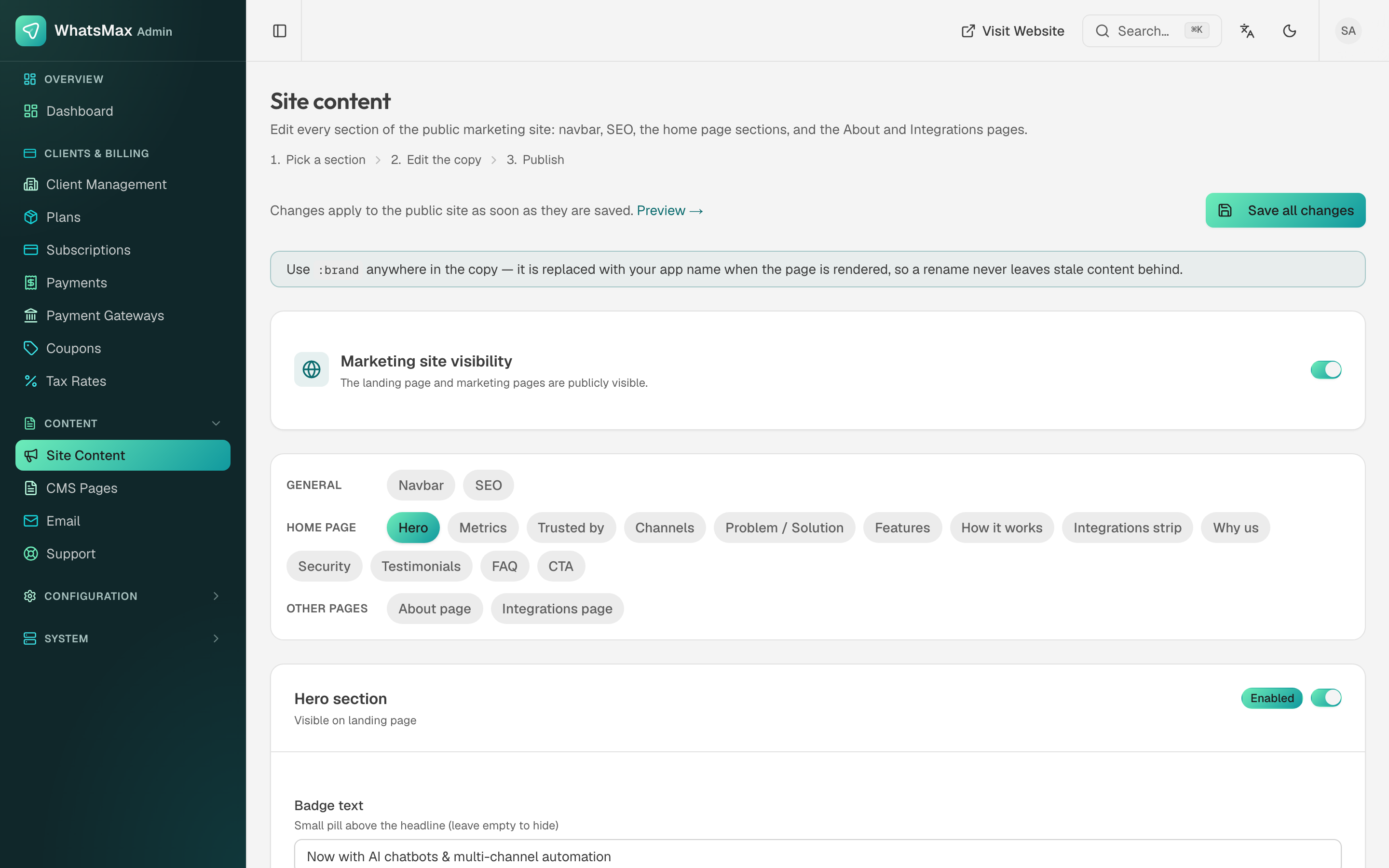 Every section of the public site, editable and individually switchable.
- Marketing site visibility — one toggle hides the landing page and marketing pages entirely. Turn it off if you only sell through your own separate website and want
/to go straight to login. - General — the navbar and the SEO block (title, description, social image).
- Home page sections — Hero, Metrics, Trusted by, Channels, Problem / Solution, Features, How it works, Integrations strip, Why us, Security, Testimonials, FAQ and CTA. Each one has its own Enabled switch, so you can drop a section you have nothing to say in rather than filling it with filler.
- Other pages — the About page and the Integrations page.
Changes go live as soon as they are saved; Preview opens the public page.
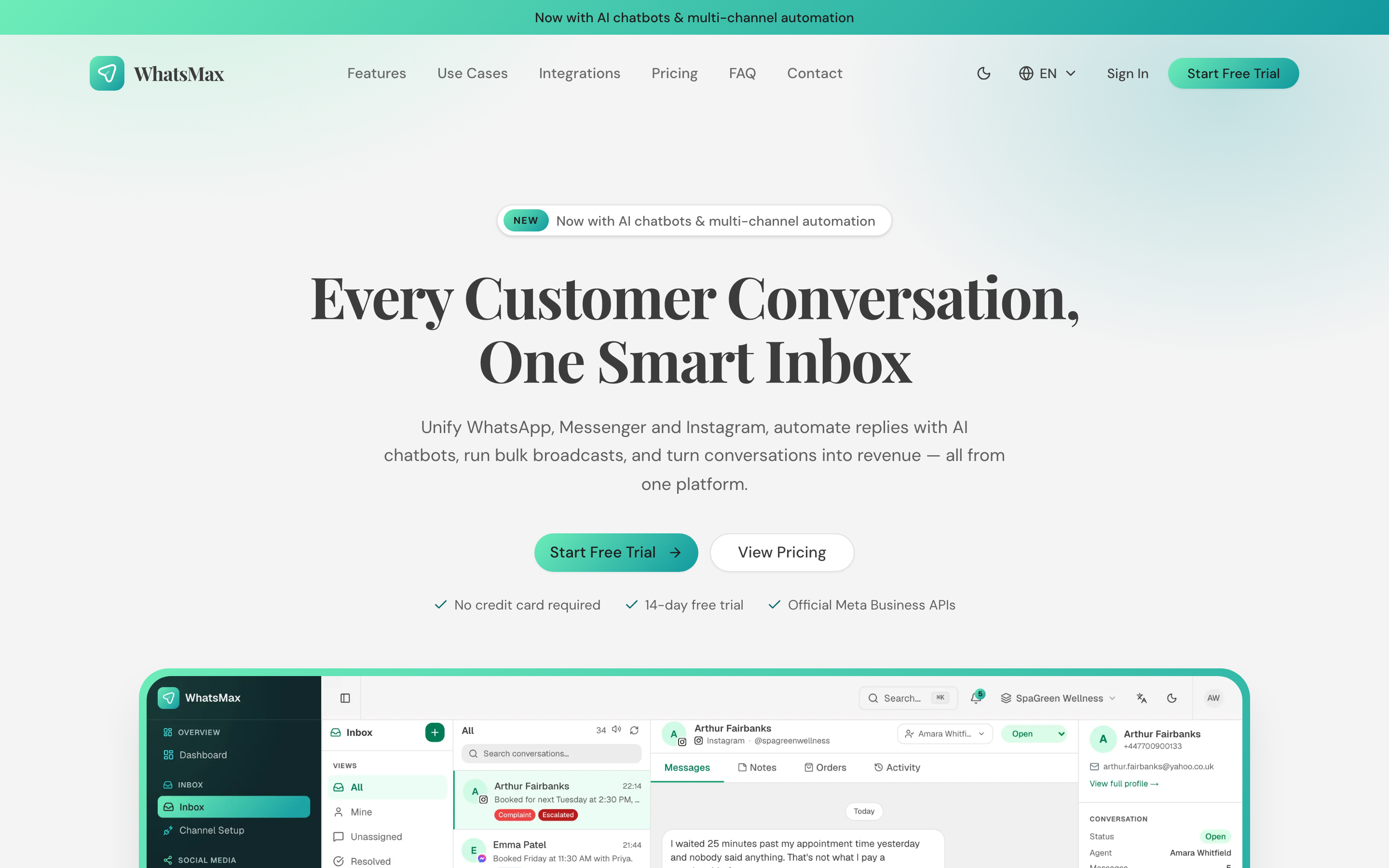 The result — the public site those sections render into.
Write :brand, not your product name
Anywhere in the copy, :brand is replaced with your app name at render time. Use it instead of typing the name, and a later rename never leaves stale text behind.
CMS pages
Content → CMS Pages holds the static pages every SaaS needs: terms of service, privacy policy, refund policy, about. Each page has a title, a slug and rich-text content, and is reachable at /{slug}. Link them from the footer.
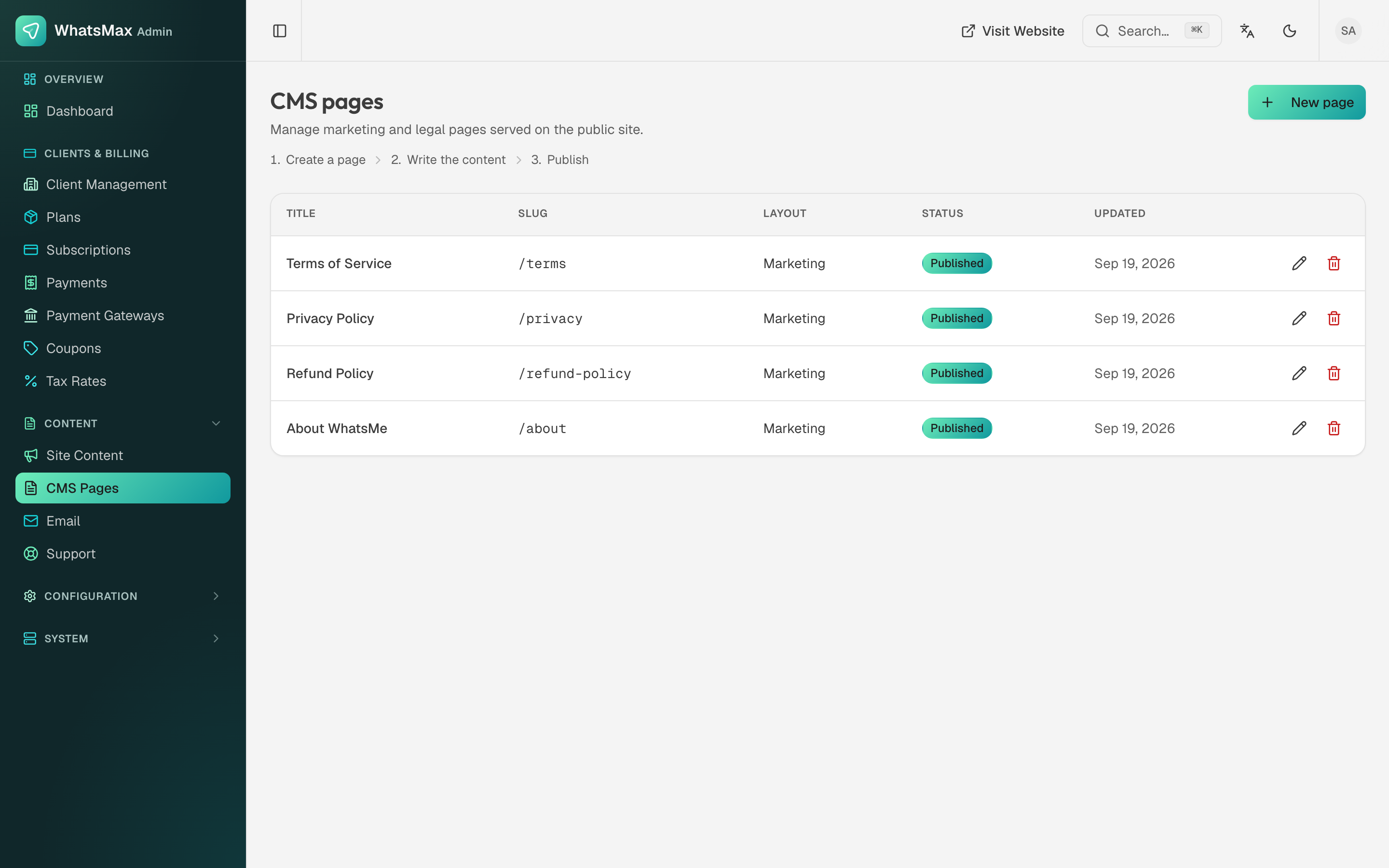 Static pages with their slugs.
Email system
Content → Email has two tabs.
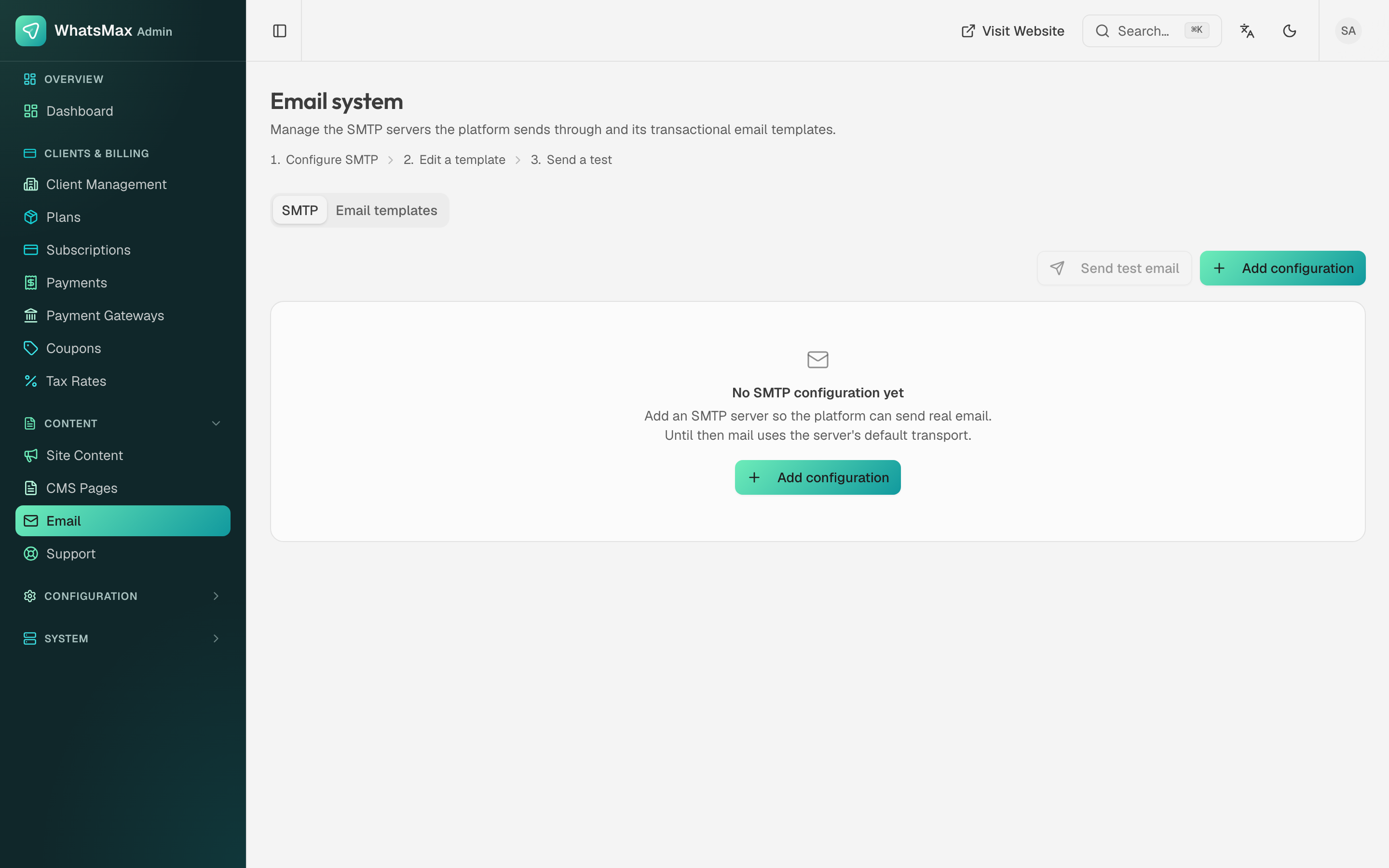 SMTP configuration and the transactional template library.
- SMTP — the server the platform sends transactional mail through. Add configuration, then Send test email to prove it before you rely on it. Until an SMTP configuration exists, mail falls back to the transport configured in
.env(see Configuration → Mail). - Email templates — every message the platform sends: verification, password reset, invitations, subscription and payment notices, ticket replies. Each has a subject and body with variables such as
{{app_name}}and{{reset_url}}.
Do not confuse this with campaign email, which each workspace configures for itself in Broadcasting → Email Server — see SMS & Email.
Support tickets
Content → Support is the queue of tickets raised by your customers from their app.
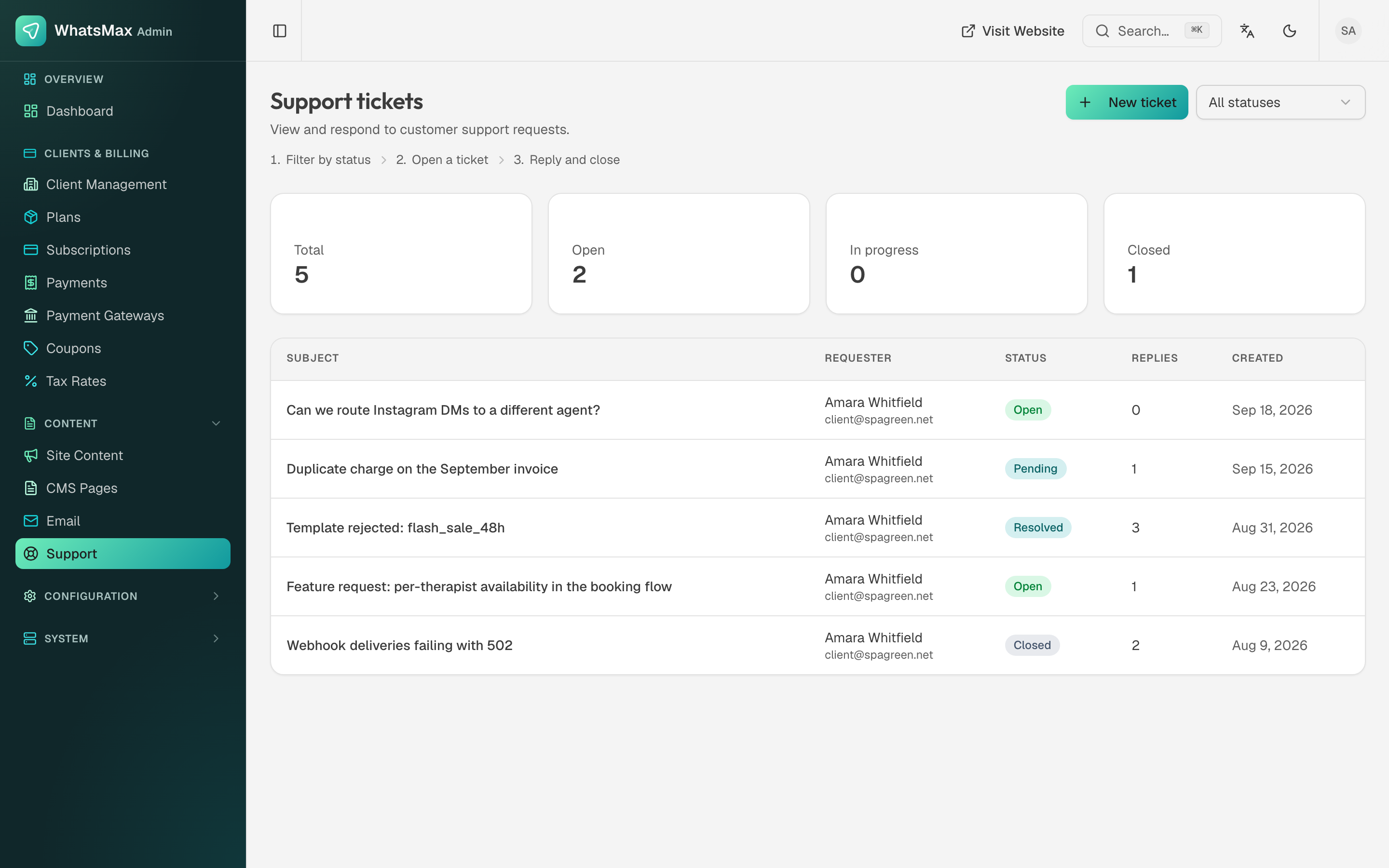 The inbound ticket queue.
Counters across the top show total, open, in progress and closed; the list carries the subject, who raised it, its status, the reply count and when it arrived. Filter by status, or raise a ticket yourself with New ticket when you need to tell one customer something.
Open a ticket to read the thread and reply. Statuses move Open → Pending → Resolved → Closed. Your reply appears in the customer's ticket in their app and they are notified by email — so answer here, not from your own mailbox, or the thread will look unanswered to them.